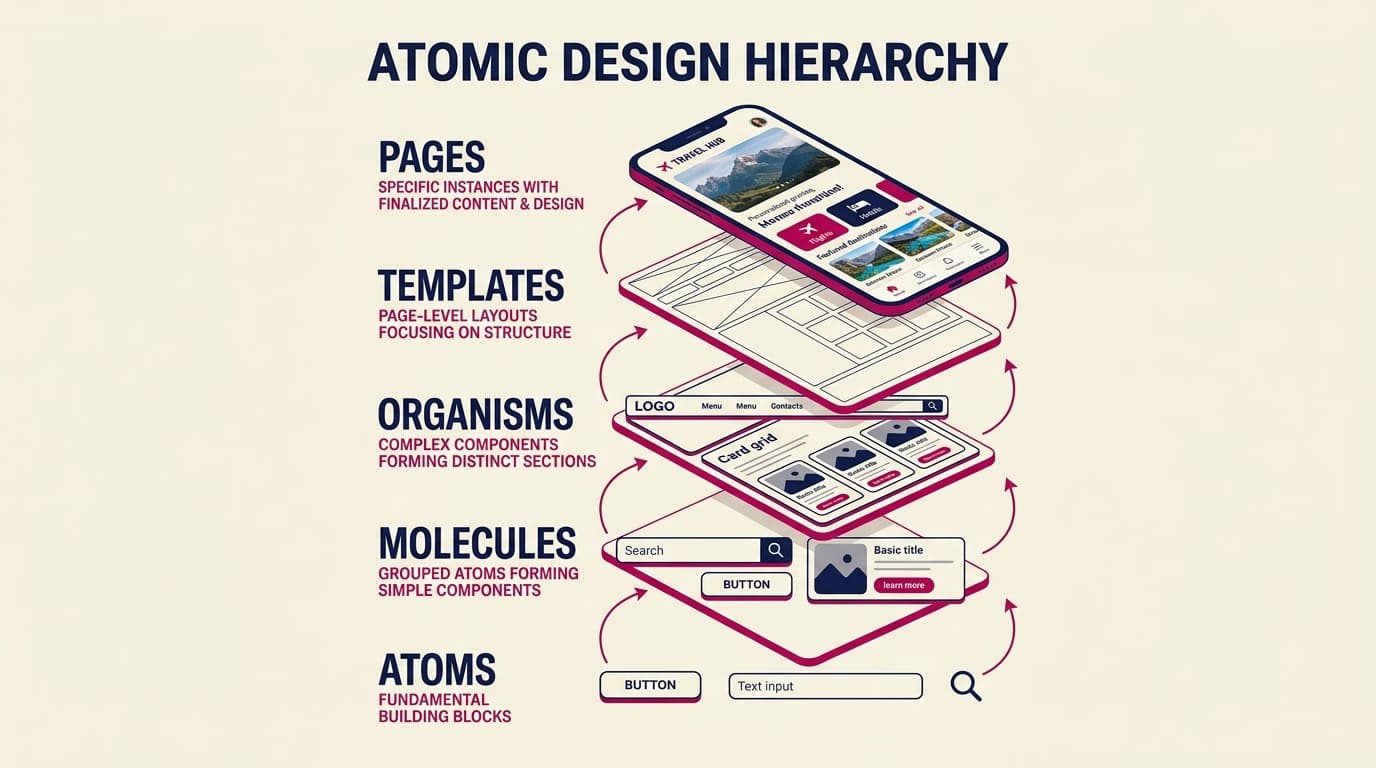
Atomic design is a methodology created by Brad Frost in 2013 (in his book "Atomic Design," which is available for free online) to organize interface components into five hierarchical levels. It draws inspiration from chemistry: atoms combine to form molecules, which in turn form organisms, and so on. Over the years, it has become a widely adopted methodology for building and maintaining scalable design systems.
In this article, we'll cover what it means, how to apply the 5 levels to a real-world system (with Figma examples), why it works but isn't a silver bullet, and a practical guide to building your first atomic-style design system from scratch.
What Is Atomic Design? The 5 Levels
1. Atoms
Atoms are the basic building blocks of an interface: a color, a font size, an icon, an input field, a button, a label. They have no meaning in isolation—they're too abstract to be used alone—but they are the foundation for everything else.
Examples: primary blue color, Inter 16px font, 'search' icon, 8px border-radius, base button.
2. Molecules
Molecules are combinations of atoms that form something more functionally rich. A search bar is a molecule: it combines an input field (atom) + a search icon (atom) + a submit button (atom).
Molecules have a single, specific responsibility. They are still reusable across many contexts.
3. Organisms
Organisms are assemblies of molecules and atoms that form distinct sections of an interface. A header is an organism: it contains a logo (atom) + navigation (molecule) + search bar (molecule) + user profile menu (molecule).
Organisms start to have a distinct identity: a 'checkout header' is different from a 'marketing header'.
4. Templates
Templates are page layouts without real content. They define the structure: where the header goes, where the sidebar is, the main content area, and the footer. They work with placeholders, not real data.
Templates separate structure from content, allowing you to design the grid before knowing the exact copy.
5. Pages
Pages are templates filled with real content. The product page, the checkout page, the user profile page. They are the point where the design becomes testable with real users.
Pages are where bugs emerge: copy that's too long and breaks the layout, unconsidered edge cases, and real data that disrupts the grid.

The 4 Core Benefits of Atomic Design
1. Scalability. Changing an atom (e.g., the primary color) automatically propagates to all molecules, organisms, templates, and pages. Rebranding an atomic-style design system is 10x faster.
2. Team Communication. Designers, developers, and PMs have a shared language. 'Add another search-like molecule' is clear to everyone.
3. Reusability. Molecules and organisms are modular and portable between projects. A 'product card' works on the homepage, listings, search results, and recommendation carousels.
4. Maintenance. Bug fixes are localized: fixing an atom doesn't risk breaking the entire library.
How to Apply Atomic Design in Figma
Step 1 — Start with Atoms
Create a Figma page called 'Foundations' with: color tokens (variables), typography scales, spacing system, shadow elevations, border radii, and base icons.
Step 2 — Build 5-10 Essential Molecules
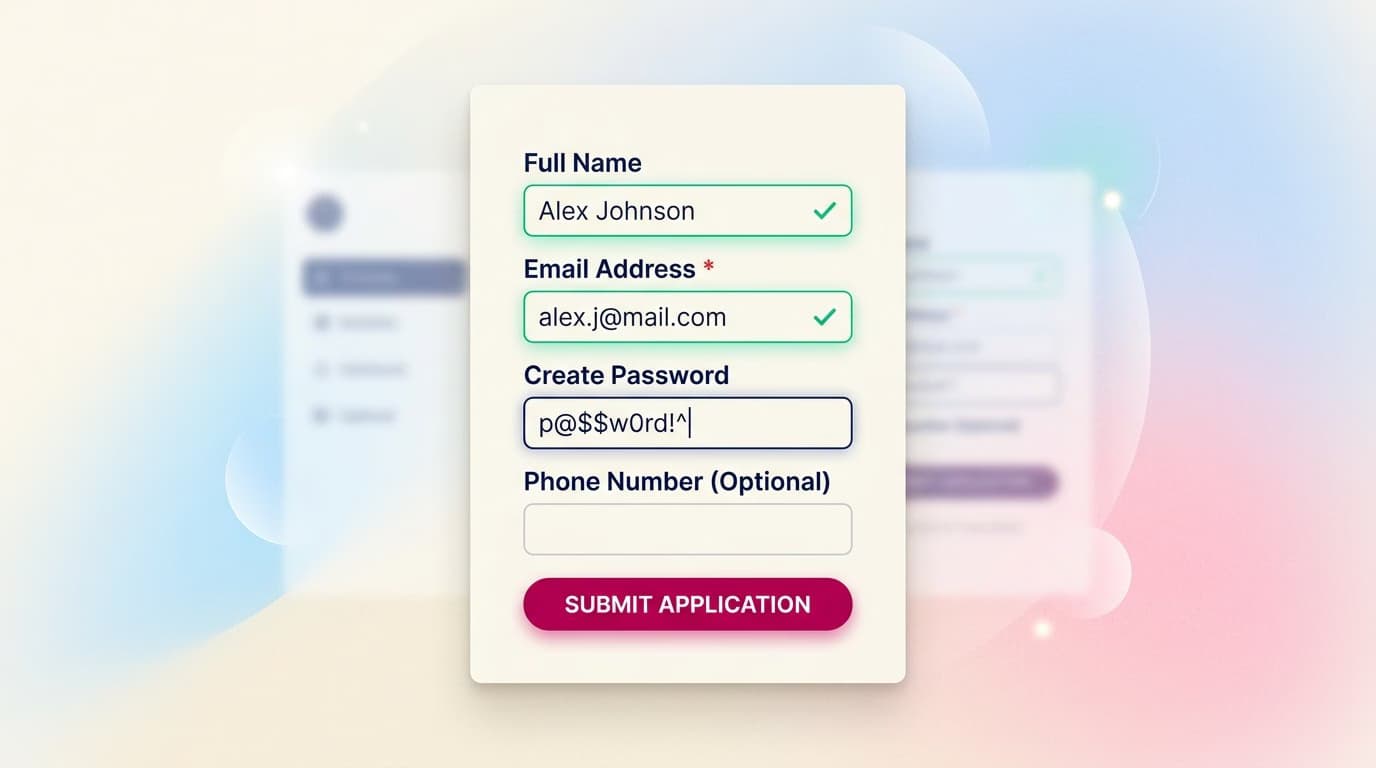
The most common ones: button (primary/secondary/ghost), input field (with states: default, focus, error, disabled), checkbox, radio, dropdown, link, badge, avatar.
Step 3 — Assemble 5-10 Organisms
Header, footer, card components, modal dialog, navigation sidebar, form section, breadcrumbs, pagination, table.
Step 4 — Design 3-5 Templates
Marketing landing template, dashboard template, form-based page template, list/detail template, error template.
Step 5 — Populate with Real Pages
Only at this point do you design the home page, product page, and checkout page—by combining organisms within your templates.
Atomic Design vs. Design Systems
This is a common point of confusion. Here's the difference:
- Design system is the product: the component library + documentation + guidelines.
- Atomic design is the methodology for organizing that design system into hierarchical levels.
You can have a non-atomic design system (e.g., organized by 'components' without a hierarchy) or an atomic system without a formal design system (e.g., atomic principles in a single, isolated project). The two often overlap but are not synonymous.
Common Criticisms of Atomic Design
Atomic design has received valid criticism over time:
Rigid categorization. Some components don't fit neatly into a category. Is a 'product card' a molecule or an organism? The debate consumes time without adding value.
Premature over-engineering. For small projects (1-2 designers, 5-10 screens), atomic design is overkill. A simple component system without a strict hierarchy works better.
It doesn't solve the real problem. The challenge with design systems isn't categorizing components—it's governance, adoption, and long-term maintenance. Atomic design doesn't help with these.
Brad Frost himself has updated his thinking over the years. In more recent talks, he emphasizes flexibility over rigid categorization.
Alternatives to Atomic Design
- BEM (Block Element Modifier): A CSS methodology that organizes by block, common in frontend teams.
- Material Design 3 token system: A 3-tier hierarchy (reference, system, component)—more technical.
- Theo's Design System Pattern: Emphasizes usage patterns more than structure.
- Custom hierarchies: Many large teams (like Shopify and Atlassian) have their own hybrid taxonomies.
Frequently Asked Questions (FAQ)
Is Atomic Design good for small projects?
For projects under 1 designer and 20 total screens, probably not. For teams over 3 designers and 50 screens, yes. In between, it depends on how quickly the project is expected to grow.
Should I create a Figma page for each level?
It's a common convention (e.g., 'Atoms,' 'Molecules' pages) but not mandatory. What's important is that the hierarchy is clear, not that it's organized into separate pages.
How many components should I build for an MVP?
For a Minimum Viable Product: 10-15 atoms, 8-12 molecules, 5-8 organisms, and 3-5 templates. A total of about 30-40 components. Only add new components when a new screen requires something that doesn't yet exist.
Is it easy for a junior designer to learn?
The first three levels (atoms, molecules, organisms) are intuitive. Templates and pages require more experience to get right. Start by categorizing components in your own projects—it's the best way to internalize the concept.
Can I use it without a formal design system?
Yes. Even in a single project, organizing your components into atoms, molecules, and organisms makes your Figma file more navigable. You don't need a full-fledged design system to benefit from the hierarchy.
Next Steps
Atomic design is a core concept for anyone specializing in design system engineering, a highly-paid niche. According to Glassdoor, senior design systems engineers in the US can earn upwards of $150,000. The CorsoUX UI & Visual Design Course dedicates chapters to design systems, atomic design, Figma Variables, and tokens, with 101 lessons and 1:1 mentorship.
To learn more, read about what a design system is, explore Material Design 3 (which uses a similar 3-tier token system), and check out our Figma tutorials focused on reusable components.