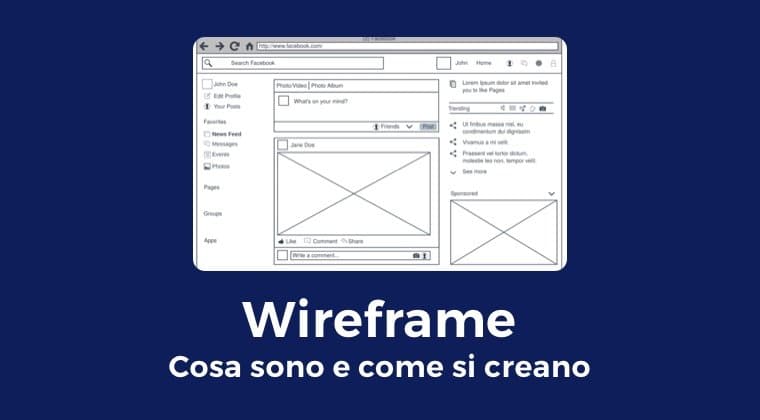
A wireframe is a simple thing: a low-fidelity drawing that shows the structure of a screen without worrying about colors, typography, or final imagery. And yet it's one of the most underrated tools among beginners, and the first to be cut when the product team is in a rush. Done well, it's also one of the most powerful accelerators in the entire design process.
This article is a practical guide to wireframes in 2026: what they are, how to build them, when to use low-fi or high-fi, which tools to pick — and, importantly, when it's better not to build one at all.
What you'll learn:
- What a wireframe really is and what it's for
- How to design an effective wireframe in 5 steps
- The difference between low-fi and high-fi wireframes
- Wireframing for responsive design
- The tools to use in 2026
- When to skip the wireframe stage without regrets
What a wireframe is
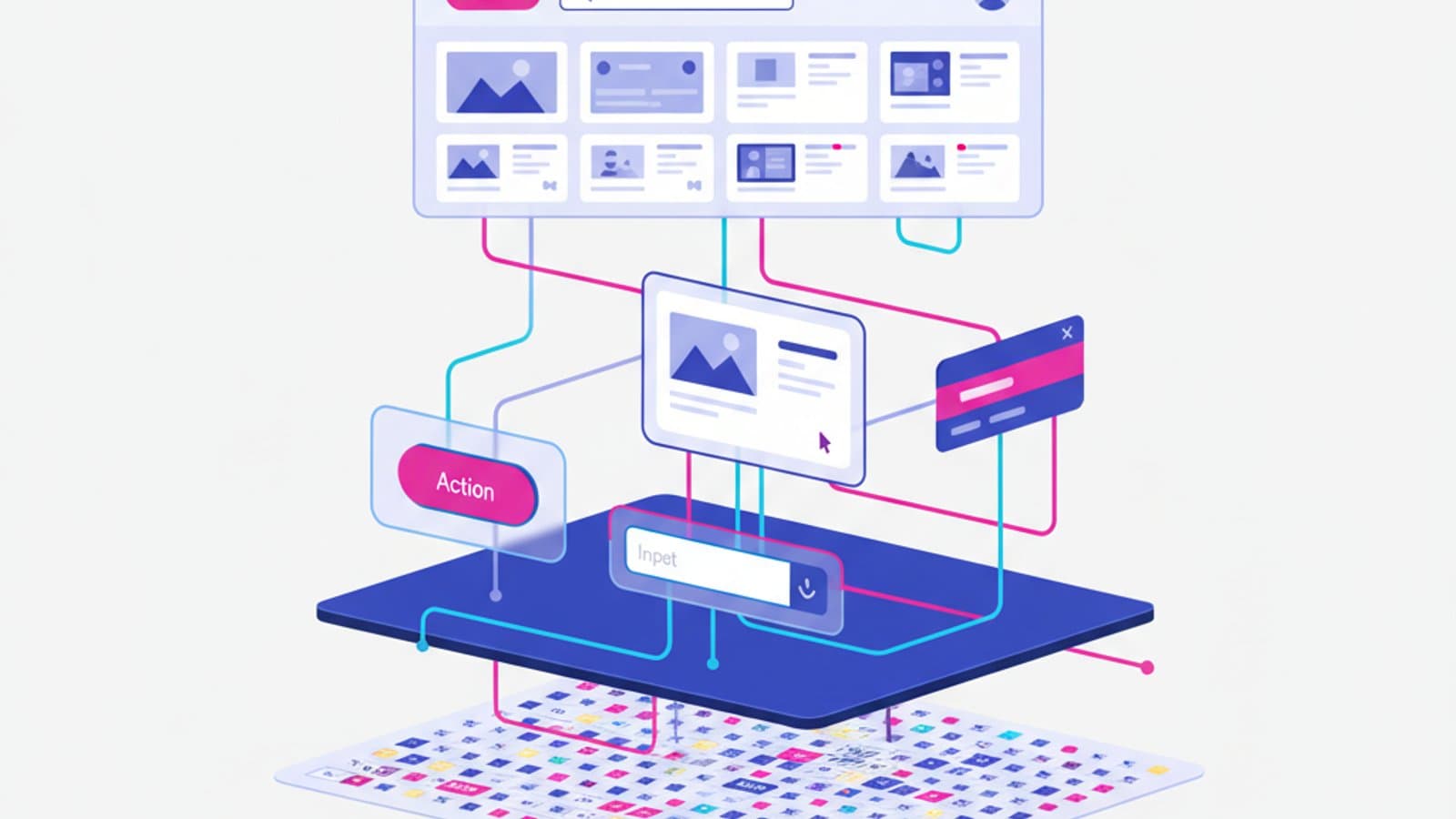
A wireframe is the structural representation of an interface: boxes, lines, placeholder text. It doesn't show what the product will look like, it shows what it will contain, where the elements sit, and what the hierarchy is.
Its purpose isn't aesthetic, it's strategic. It lets designers, product managers, and stakeholders argue about "what goes where and why" without getting distracted by visuals. In a wireframe critique nobody says "I don't like the red"; everyone talks about priorities, flows, and clarity.
Three things a wireframe must show:
- Element hierarchy — what's primary, what's secondary, what's a utility.
- Structured content — which information will be present, even if the final copy isn't written yet.
- Navigation and actions — how the user moves from one state to the next.
Three things a wireframe must not show:
- Final colors
- Final typography
- Real images (use gray placeholders)
A wireframe with color choices already baked in is a mockup, not a wireframe. Jumping straight to visuals is a common mistake that drags the team into pixel debates when they should be discussing architecture.
How to design an effective wireframe in 5 steps
Step 1: start from the goal, not the screen
Every wireframe answers a concrete question: "how can a user complete action X?". Before opening Figma, write out:
- Who the user is
- What they want to accomplish
- In what context (mobile, desktop, how much time they have)
- Which pieces of information they absolutely need to decide
This preliminary step — 10 minutes of writing, no drawing — changes everything that follows.
Step 2: paper sketches before the tool
The first 5–10 minutes of a new wireframe should be analog: paper, pencil, eraser. The constraint of paper forces fast, big decisions: what goes on top, what at the bottom, what the 3–4 main regions are. Opening Figma first pushes you to fuss over alignment and spacing when the point is structure.
Do 3–5 alternative sketches in 15 minutes. Pick the most promising one. Only then open the digital tool.
Step 3: build with reusable components
In Figma, build the wireframe with base components (inputs, buttons, cards, navigation) that are reused across screens. This makes iteration lightning-fast: change one component and every instance updates. If you already work with a design system, use the "skeleton" version of the DS — many teams maintain one specifically for wireframing.
Step 4: add states and flows
A single wireframe is useless: a good wireframe shows the sequence of screens needed to complete a task. Connect the screens with arrows in FigJam or with Figma's prototype flow. The value shows up when you see the whole journey, not a single screen.
Include the states, too: what happens if the form is empty? If the user is logged in vs. not? If there's an error? Wireframes that show only the "happy path" aren't very useful — see our article on the 5 states of design.
Step 5: quick test
Before moving to visuals, run a mini-test with 2–3 people: show the wireframe (or a minimal clickable prototype) and ask them to complete the task. In 15 minutes you surface problems that would otherwise show up once development is underway.
Low-fidelity and high-fidelity wireframes
Low-fi (low fidelity)
- Grayscale, no color
- Placeholder text (Lorem ipsum or fake text)
- Rectangles instead of images
- No specific icons, generic placeholders
When to use it: early in the process, to decide architecture. When you need to iterate quickly. When you're chasing consensus on strategy, not aesthetics.
High-fi (high fidelity)
- Real typography
- Exact spacing
- Defined visual hierarchy
- Possibly primary brand colors, but no final images
When to use it: after you've validated the structure. When you need to show stakeholders what the product will look like. When you're preparing the handoff to pure visual design.
Common mistake: starting directly from high-fi because "it's faster." It looks faster but stretches the process by 30–50% because every structural change forces you to redo the visuals, too.
Wireframes for responsive design
In 2026 any serious wireframe needs to consider at least two viewports: mobile (375–390px) and desktop (1280px+). The mobile-first rule says to start from mobile — it's more constrained and forces clearer priorities — and then expand to desktop. Read the mobile-first guide for more.
Practical techniques:
- Design a mobile wireframe first, then adapt to desktop
- Use standard breakpoints: 375 (mobile), 768 (tablet), 1280 (desktop), 1440 (widescreen)
- Don't do the work twice: use components with responsive auto-layout in Figma
- Think about minimum touch target: 44×44 pt on mobile (Apple HIG and Material Design)
Wireframing tools in 2026
The landscape has simplified over the last few years: most teams use a single tool (Figma) for the entire process.
The dominant players
Figma — the de facto standard. Wireframes, prototypes, handoff, design system, all in one workspace. Most product teams in Silicon Valley, UK, and across Europe work in Figma. To get started, read the Figma tutorial.
FigJam — Figma's whiteboard, perfect for early sketches, flows, card sorting, and ideation workshops before the structured wireframe.
Alternatives
Whimsical — a light, fast alternative for low-fi wireframes and flowcharts. Clean interface, low learning curve.
Balsamiq — the wireframing veteran. Produces intentionally "hand-drawn"-looking wireframes to make sure nobody confuses them with a finished mockup. Still used in contexts where aesthetic feedback from stakeholders derails the conversation.
Uizard — an AI platform that generates wireframes from text descriptions or photos of hand sketches. Handy for very fast exploratory prototyping.
For those experimenting with AI
Since 2023 a wave of tools has emerged that use AI to generate wireframes from text prompts: in addition to Uizard, Galileo and Motiff generate starting drafts. They're still too green to replace a designer's work, but they're great for getting past the blank page in early stages.
Concrete benefits of wireframes
Five reasons not to skip this stage even when you feel like you could:
- Very low iteration cost — changing a wireframe takes minutes, changing a finished visual takes hours, changing an already-built product takes days.
- Focused conversations — without visuals, stakeholders and team discuss structure and priorities, which is what matters at this stage.
- Team alignment — shared wireframes prevent misunderstandings between product, design, and engineering.
- Base for fast usability tests — a clickable wireframe can be tested with 5 users in a single afternoon.
- Lightweight documentation — commented wireframes become the first spec document of a feature.
When to skip the wireframe stage
There are cases where a formal wireframe is a waste of time:
- Small changes to existing interfaces: if you're tweaking a button or a field in a screen that's already designed, go straight to the design system.
- Known patterns: for standard flows (login, basic checkout, simple forms) you can start from the already-solved pattern instead of reinventing it.
- Products with a mature design system: when the DS is solid, teams often move straight from low-fi sketches to the final design in DS components.
- Throwaway prototypes for a quick preference test: if the test won't survive past the end of the week, don't invest in a structured wireframe.
Frequently asked questions
What's the difference between wireframe, mockup, and prototype?
A wireframe shows the structure in low fidelity. A mockup shows exactly what it will look like, with colors, typography, and images. A prototype is a mockup with clickable interactions that simulates the real product. The three terms get conflated even in professional contexts, so when you're talking with a team it's worth asking what they mean.
How long does it take to create a wireframe?
For a single simple screen: 15–30 minutes. For a complete flow of 5–8 screens: 2–4 hours. For an app with 20+ screens: 1–2 weeks, including iterations and testing. If it's taking much longer, you're probably adding too much detail and should stay lower-fi.
Are wireframes still necessary in 2026?
Yes, even though the process has become more fluid. Many teams skip the "formal low-fi wireframe" stage and go straight from sketches to low-fi prototypes in Figma. What doesn't change is the need to decide structure before visuals — the name of the step can change, the substance can't.
Detailed wireframe or quick sketch?
Depends on the moment. At the start: quick sketches, even on paper. In the convergence phase: structured digital wireframes. Before development: high-fi wireframes or mockups. The three moments are sequential, not alternatives.
Can I show a wireframe directly to a client?
Yes, but prepare the client first: explain that it's a structural draft, not a final design. Many non-technical clients struggle to abstract from low fidelity and give aesthetic feedback ("I need more colors"). Balsamiq is often used precisely because its "sketchy" look makes it obvious that it isn't a finished product.
Next steps
Wireframing is the proving ground where you figure out whether a design will work structurally. Skipping it means finding the problems when they're much more expensive to fix.
To continue:
- Study information architecture, which drives the structural decisions
- Read about the 5 states of design to include them in your wireframes from the start
- Explore what Interaction Design is as a whole
In CorsoUX's Interaction Design course we teach wireframing starting from research methods, with hands-on exercises reviewed by mentors who wireframe every day.