Imagine needing to change the primary color of a digital product—a specific blue used on hundreds of buttons, links, icons, borders, and backgrounds. Without a system, you'd have to open dozens of files, manually search for every hex code, and hope you didn't miss one. With design tokens, you just change one value in one place, and the update propagates everywhere, from design to code.
Design tokens are one of the skills that separate those who just 'make pretty screens' from those who build scalable products. They are the shared language that allows designers and developers to discuss visual decisions without misunderstandings, and they are the invisible engine behind every serious design system.
In this guide, I'll explain what design tokens are, why they exist, how they're organized into tiers (primitive, semantic, and component), and how to manage them in Figma using variables. It's a technical topic, but we'll tackle it step-by-step. By the end, you'll have a clear mental model, even if you're just starting out.
What you'll learn in this guide:
- What design tokens are and the problem they solve
- The difference between primitive, semantic, and component tokens
- Practical examples for color, spacing, and typography
- How tokens connect the work of designers and developers
- How to create and manage tokens in Figma with variables
- How to define a naming convention that won't descend into chaos
What Are Design Tokens?
A design token is the smallest, named entity of a design decision, stored in a reusable and platform-agnostic format. In practice, it's a name → value pair: instead of writing 'this button is #2563EB,' you give that value a name—for example, color-primary—and use that name wherever you need that blue.
The key concept is the separation of the name from the value. The name expresses the intent ('primary color,' 'small spacing,' 'large text'); the value is the technical detail ('#2563EB,' '8px,' '24px'). This seemingly simple distinction is what makes tokens so powerful: you can change the value without touching the name, and everything using that name updates automatically.
Tokens can describe almost any visual property: colors, font sizes, spacing, corner radii, shadows, animation durations. They are the core vocabulary of a design system, and their purpose is to ensure consistency (the same value used the same way everywhere) and maintainability (a change in one place updates all).
Why Design Tokens Exist: The Problem They Solve
To understand the value of tokens, think about how a product works without them. Each screen is designed with hard-coded values: a slightly different gray here, a 14px space there, another almost-but-not-quite-the-same gray on the next screen. Multiply this across dozens of screens, two or three designers, and a development team that reinterprets things their own way, and the result is an inconsistent product that's impossible to maintain.
Design tokens solve three concrete problems:
- Consistency — There is a single source of truth for every value. If the gray for secondary text is
text-secondary, it's always that one, on every screen and every platform. - Scalability — Adding a new screen or component means reusing existing tokens, not inventing new values every time.
- Speed of updates — A rebrand, a switch to a new palette, or the introduction of a dark mode become controlled operations, not copy-paste marathons.
Then there's a fourth benefit, perhaps the most important: tokens are platform-agnostic. The same color-primary token can be exported to CSS, iOS code, and Android code. One design decision, multiple destinations. This is what makes them the natural bridge between design and development.
The Three Tiers: Primitive, Semantic, and Component
The most common mistake for beginners is creating a single, massive list of tokens. That works until the product grows, then it becomes unmanageable. The solution adopted by mature design systems is to organize tokens into tiers (or levels), where each tier references the one below it.
Primitive (or Global) Tokens
Primitive tokens are the raw values, the complete 'palette' available to the product. They have no contextual meaning; they only describe the value itself.
blue-500   = #2563EB
blue-600   = #1D4ED8
gray-100   = #F3F4F6
gray-900   = #111827
space-2    = 8px
space-4    = 16px
A primitive token like blue-500 doesn't say where to use that blue; it just says it exists and what its value is. This is the most stable tier and rarely changes.
Semantic (or Alias) Tokens
Semantic tokens give meaning to primitives. They don't describe what the value is, but what it's for. They are aliases that point to a primitive:
color-action-primary   → blue-500
color-text-default      → gray-900
color-text-muted        → gray-500
spacing-inline-sm       → space-2
This is the tier you'll use 90% of the time when designing. The advantage is huge: if the primary action color changes to green tomorrow, you just point color-action-primary to green-500 instead of blue-500. Everything using the semantic token changes, while the primitive palette remains intact. This is also the tier that enables theming: a dark mode is simply the same set of semantic tokens pointing to different primitives.
Component-Specific Tokens
Component-specific tokens are the most specific tier. They describe the properties of a single component and usually reference a semantic token.
button-primary-background  → color-action-primary
button-primary-text         → color-text-on-action
input-border-focus          → color-action-primary
You don't always need them. Introduce them only when a component requires fine-grained, independent control. For smaller products, you can easily stick to the first two tiers and add component tokens later.
The golden rule is the direction of reference: component → semantic → primitive. A component should never point directly to a primitive, as you'd lose the meaning and flexibility the tiers provide.
Practical Examples: Color, Spacing, and Typography
Let's see how the three most common types of tokens take shape in practice.
Color. Start with a scale of primitives (e.g., gray-50 to gray-900, plus brand hues). Then create semantics that express usage: color-background-page, color-surface-card, color-text-default, color-border-subtle, color-action-primary. When designing a card, you don't pick 'light gray'; you apply color-surface-card. The name itself tells you its purpose.
Spacing. Define a scale based on a base unit, typically 4px or 8px: space-1 (4px), space-2 (8px), space-3 (12px), space-4 (16px), and so on. Then, semantics describe the context: spacing-stack-md for vertical space between stacked items, spacing-inset-lg for the internal padding of a container. A consistent spacing scale gives an interface rhythm, and tokens make it impossible to 'eyeball' it incorrectly.
Typography. Here, tokens are often grouped into composite styles. Primitives might be font-size-sm (14px), font-size-md (16px), font-weight-regular (400), line-height-normal (1.5). Semantics combine them into roles: text-body, text-heading-1, text-caption. By applying text-heading-1 to a title, you apply a pre-defined, consistent size, weight, and line height all at once.
If these concepts sound familiar, it's because token-based thinking aligns naturally with atomic design. In a way, tokens are the 'atoms' of visual decisions, even smaller than components.
The Bridge Between Design and Development
This is where the real superpower of design tokens lies. Traditionally, the handoff from design to code is a point of friction: the designer delivers a file, the developer 'translates' the values by eye or by copying them manually, and something inevitably gets lost in translation.
With tokens, design and code share the same single source of truth. Tokens are stored in a structured format—usually JSON—and then transformed into platform-specific code via build tools (the most famous being Style Dictionary). The same source file becomes CSS variables for the web, constants for iOS, and resources for Android.
{
  "color": {
    "action": {
      "primary": { "value": "#2563EB" }
    }
  }
}
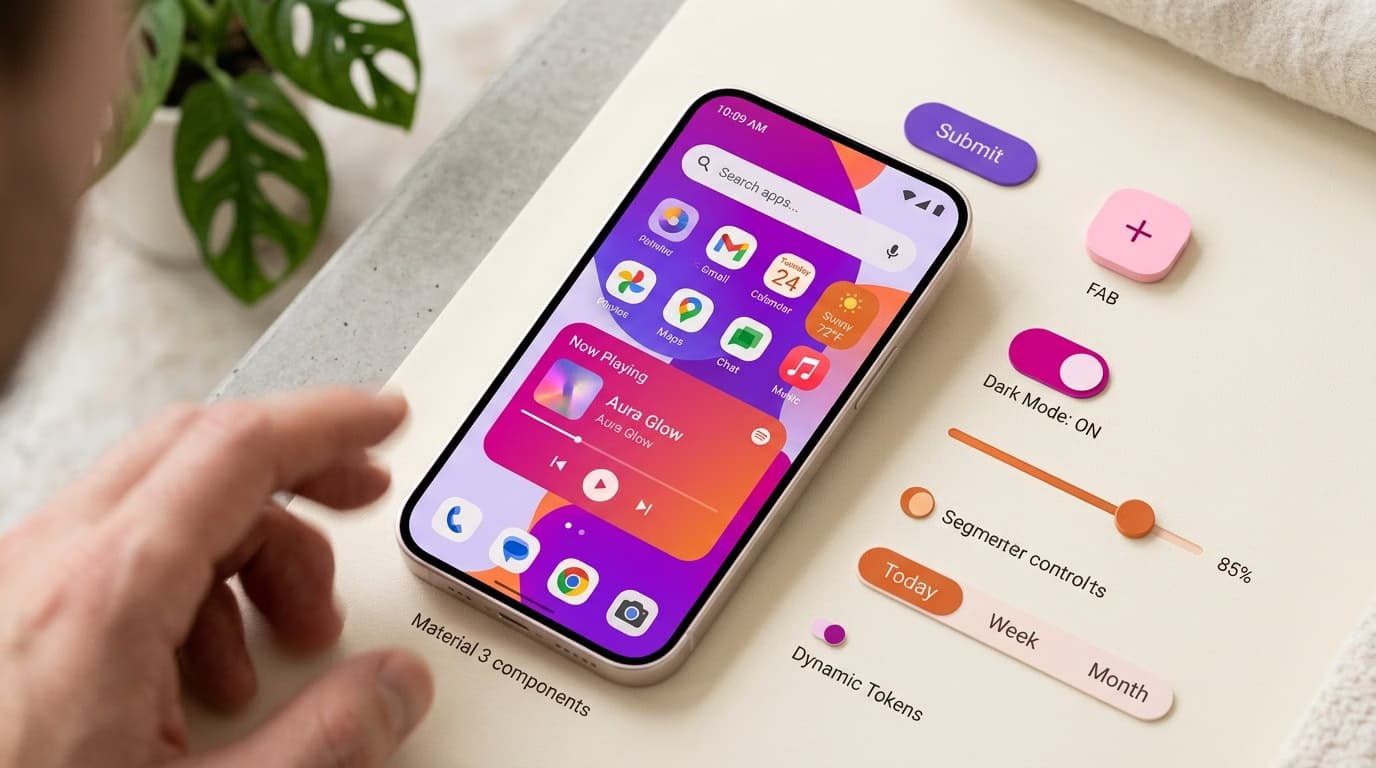
From this JSON, a build tool automatically generates --color-action-primary: #2563EB; for CSS and equivalents for other platforms. When the designer changes the value, the code is regenerated. No more diverging values over time. This is exactly the approach that mature systems like Material Design 3 have made an industry standard, with semantic tokens designed from the ground up to support theming and customization.
The practical result: designers and developers stop arguing about 'which gray is correct' and start speaking the same language, built on shared names.
How to Manage Design Tokens in Figma with Variables
For years, tokens in Figma were simulated with 'styles' (for colors, text), which were useful but limited. Today, the right tool is Figma's variables, which faithfully replicate the logic of tokens, including multi-level referencing and theming.
Here’s how to set them up, step-by-step:
- Create collections. A good structure includes a collection for primitives (your full palette) and one for semantics. Keeping them separate mirrors the tiers we discussed.
- Define primitives. Enter all the raw values: the color scale, spacing numbers, font sizes. These are 'leaf' variables containing actual values.
- Create semantics as aliases. This is the crucial part: a semantic variable like
color/action/primaryshouldn't contain a hex code but should point to the primitive variableblue/500. In Figma, you do this by assigning another variable as its value. It's the samesemantic → primitivelogic. - Use modes for themes. Modes let you have a 'Light' and a 'Dark' column in the same semantic collection. The
color/surface/pagetoken points togray/50in Light mode and togray/900in Dark mode. Switching modes adapts the entire file. - Apply only semantic tokens in your designs. When coloring a shape or text, always choose the semantic token, never the primitive directly. This keeps the reference chain intact.
Working this way transforms Figma from a simple drawing tool into a true source of truth for tokens, aligned with code. It's a highly sought-after skill, and we cover it in-depth in our complete Figma tutorial, where variables are a cornerstone.
Naming Conventions: The Rules That Hold It All Together
A token system is only as good as its naming convention. Inconsistent or ambiguous names negate all the benefits. If no one understands which token to use, they'll just invent new ones, and you're back to chaos.
The most common convention follows a hierarchical structure, from general to specific:
[category]-[property]-[variant]-[state]

color-text-primary
color-text-primary-hover
spacing-inset-sm
color-border-error
Some practical principles to adopt:
- Describe intent, not appearance. Use
color-action-primary, notcolor-blue. If the primary color becomes green tomorrow, the namecolor-bluebecomes a lie. - Go from general to specific. Category first, detail last:
color-text-mutedis more readable and sortable thanmuted-text-color. - Be consistent across tiers. Primitives can use numeric scales (
gray-100,gray-200); semantics use functional names (text-default,surface-card). - Avoid opaque abbreviations.
spacing-smis clear;sp-sis not.
A solid convention allows a new designer on the team to instantly understand which token to use, and a developer to predict its name without having to ask. It's an investment that pays off with every screen.
Summary
Design tokens are name-value pairs that capture design decisions in a reusable, platform-agnostic format. They are organized into three tiers—primitives (raw values), semantics (the intended use), and component-specific (specific properties)—linked by a reference chain from component to semantic to primitive.
Their value is threefold: they ensure consistency, enable scalability, and speed up updates, from rebrands to dark mode. Above all, they are the bridge between design and development: a single source of truth, exportable to CSS, iOS, and Android, that gets designers and developers speaking the same language. In Figma, they are managed with variables, using aliases and modes to faithfully replicate tiers and themes.
Understanding design tokens is a leap forward: from drawing screens to designing systems. This is exactly the kind of structural skill we teach in our Visual Design course, where you'll learn to build coherent, developer-ready design systems, not just pretty files.
Frequently Asked Questions (FAQ)
What's the difference between design tokens and styles in Figma? Figma styles group visual properties (a color, a text style), but they don't allow you to create references between values or manage multiple themes. Figma variables, on the other hand, replicate the true logic of tokens: a semantic variable can point to a primitive one, and modes handle dark mode and different brands. To work with tokens today, you use variables.
Do you always need all three token tiers? No. The primitive and semantic tiers are the core of the system and are almost always necessary. Component-specific tokens should only be introduced when a component requires independent, fine-grained control. For smaller products, you can easily skip them at first and add them as the system grows.
Are design tokens only for developers, or for designers too? They are primarily for designers. They are how you make consistent visual decisions and make them reusable, long before they get to development. Thinking in tokens improves the quality of the design work itself; the fact that they can be automatically converted to code is an added benefit, not their sole purpose.