A UX audit is a systematic analysis of a digital product that identifies usability, accessibility, and design issues without requiring user research. It's one of the fastest and most underrated tools in a designer's toolkit: with 3-4 hours of methodical work, you can produce a report worth weeks of discovery sessions.
A UX audit doesn't replace qualitative research—like usability testing, interviews, or analytics—but rather complements it. Senior designers leverage it at two key moments: when joining a new project (to quickly grasp existing problems) and when needing to justify a redesign to skeptical stakeholders (by highlighting specific, undeniable issues).
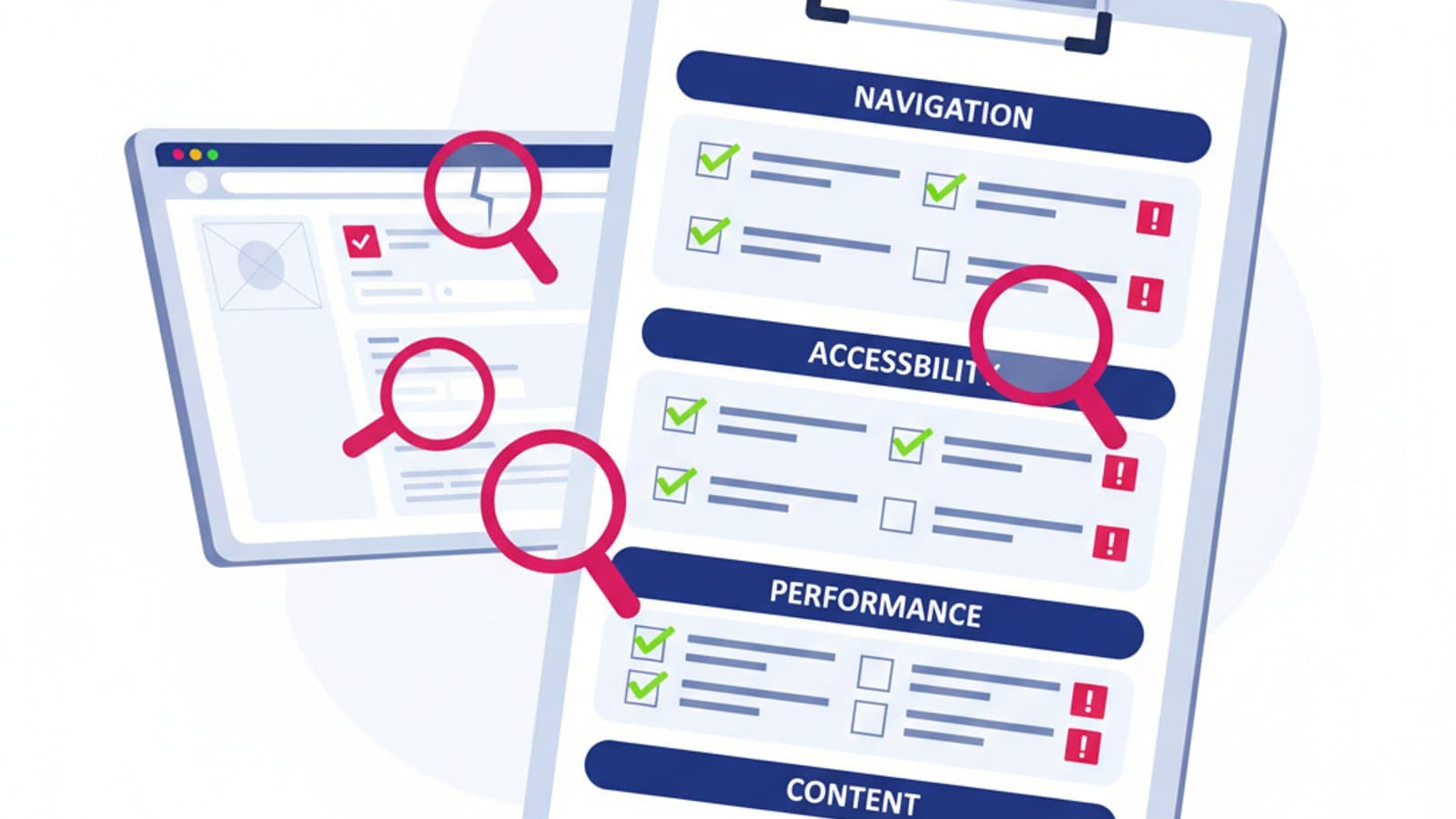
In this guide, you'll find the 50-point checklist we use internally at CorsoUX, organized by area (navigation, forms, accessibility, mobile, performance, content). It's practical, not theoretical: each point can be verified in 1-2 minutes and yields actionable insights.
What You'll Learn:
- What a UX audit is and when it's truly needed
- The 4 classic approaches: heuristic, cognitive walkthrough, accessibility, and competitive
- Our complete 50-point checklist, organized by area
- How to structure your final report (with a free template)
- How to calculate the priority of each finding
- Common mistakes that render an audit ineffective
What is a UX Audit and When Do You Need One?
A UX audit is a critical review of an existing product based on recognized usability and design principles. It differs from a usability test because it doesn't involve real users: it's the designer (or a team of designers) who applies their expertise to identify problems.
The most classic method is Jakob Nielsen's heuristic evaluation, based on the 10 usability heuristics. However, a modern UX audit in 2026 goes beyond the 10 classic heuristics: it includes WCAG 2.2 accessibility, technical performance, regulatory compliance (such as DSA, GDPR), mobile-first considerations, and dark pattern detection.
When a UX audit is truly needed:
- At the start of a new project to quickly understand the product's current state
- Before a redesign to document existing problems that the redesign must address
- For a commercial proposal as a "hook" to sell a larger project
- As part of a continuous improvement cycle—a quarterly audit can reveal design drifts
- When product KPIs decline and you want to understand if it's a design issue
When it's NOT needed:
- When you've already conducted recent usability tests (real user research trumps theoretical audits)
- For highly specialized products requiring deep domain knowledge (e.g., medical software—better to consult domain experts)
- As a substitute for user research in critical projects (the risk of false positives is too high)
4 Classic Approaches to UX Audits
A comprehensive audit typically combines 4 complementary approaches. For a quick audit, you might choose only 1-2 approaches.
1. Heuristic Evaluation (Nielsen)
An evaluation based on Jakob Nielsen's 10 heuristics, published in 1994 and still an industry standard. The goal is to identify violations of each heuristic with concrete examples.
Strength: Speed (2-3 hours for an average product), applicable to any interface. Weakness: Generic, may not capture domain-specific problems.
For the complete framework, read our guide to Nielsen's 10 heuristics.
2. Cognitive Walkthrough
A simulation of a user's mental journey as they attempt to complete a specific task. For each step in the flow, ask yourself:
- Does the user know what to do at this step?
- Is the control for the action visible?
- Does the user understand if the action was performed correctly?
- Does the system behave as the user expects?
If any of these four questions yields a "no" for a step, there's a problem.
Strength: Focuses on critical tasks, not abstract design. Weakness: Depends on task selection—choosing the wrong tasks can lead to missing important issues.
3. Accessibility Audit (WCAG 2.2)
A systematic verification of compliance with WCAG 2.2 Level AA, the global standard for digital accessibility, mandated in the EU from June 28, 2025, by the European Accessibility Act. This includes color contrast, keyboard navigation, screen reader compatibility, alt text, and semantic HTML.
Strength: Reduces legal risk and expands audience reach. Weakness: Requires specific technical knowledge; many automated tools don't catch everything.
For the complete framework, read our WCAG 2.2 accessibility guide.
4. Competitive Benchmark
A comparison of your product with 3-5 direct competitors on key features, UX patterns, and design decisions. This isn't about copying, but mapping gaps: what do competitors do that we don't? Which of their patterns are superior to ours?
Strength: Provides immediate insights into market weaknesses. Weakness: Risks encouraging copy-paste instead of innovation.
The 50-Point UX Audit Checklist
Organized into 6 areas. For each point, verify if the product is compliant (✓), non-compliant (✗), or not applicable (N/A).
🧭 Navigation and Information Architecture (8 points)
- Clear Homepage: Within 5 seconds, does the user understand what the product offers?
- Predictable Menu: Does the main menu contain categories users expect (max 7±2 items)?
- Breadcrumbs on Deep Pages: Do nested pages show your current location in the hierarchy?
- Accessible Search: Is the search bar visible on every page if the product is content-heavy?
- Clickable Logo: Does the logo always link back to the homepage?
- Multiple Paths: Are there at least 2 ways to reach main pages (menu + CTA, search + links)?
- Useful Footer: Does the footer contain links users look for (contact, privacy, terms, company info)?
- Smart 404 Page: Does the 404 page help the user return or search for content?
📝 Forms and Inputs (8 points)
- Visible Labels: Does every field have a label that is always visible (not just a placeholder)?
- Required Fields Indicated: Are required fields marked with asterisks or "(required)"?
- Specific Errors: Do error messages explain what went wrong and how to correct it?
- Real-time Validation: Does the error appear on field blur, not just after submission?
- Data Preservation: In case of an error, is previously entered data retained?
- Appropriate Inputs: Do fields use the correct input type (email, tel, number, date)?
- Autofill Supported: Do forms allow the browser to suggest auto-completions?
- Clear Primary Button: Is the submit button clearly distinguishable from others (reset, cancel)?
♿ Accessibility (WCAG 2.2 AA, 10 points)
- Color Contrast ≥ 4.5:1 for standard text (≥ 3:1 for large titles)?
- UI Control Contrast ≥ 3:1 with context (buttons, icons, borders)?
- Target Size ≥ 24×24 pixels for clickable elements?
- Complete Keyboard Navigation (everything reachable with Tab key)?
- Visible Focus on every interactive element?
- Alt Text on Informative Images (alt="" on decorative ones)?
- Language Declared with correct
<html lang="...">? - No Sole Reliance on Color to convey information (e.g., "fields in red" = bad, also use icons)?
- Videos Subtitled if present?
- "Skip to Content" Link at the top of each page?
📱 Mobile and Responsive (8 points)
- Viewport Meta Tag present and correct?
- Clickable Targets ≥ 44×44 pixels on mobile (Apple criterion)?
- Readable Text Without Zoom (minimum 16px body font size)?
- No Horizontal Scroll (everything fits the viewport)?
- Standard Gestures Work (swipe, pinch, tap)?
- Forms Optimized for Mobile (numeric keyboard for number inputs, etc.)?
- Flexible Orientation (portrait + landscape work)?
- Thumb Reachable Area (critical elements accessible by thumb)?
⚡ Performance and Technical (8 points)
- First Contentful Paint < 1.8s (Lighthouse test)?
- Largest Contentful Paint < 2.5s?
- Cumulative Layout Shift < 0.1?
- Optimized Images (WebP/AVIF, lazy loading, correct dimensions)?
- Efficient Web Fonts (font-display: swap, Latin subset)?
- No Console Errors in Production?
- HTTPS Active on All Pages?
- Semantic HTML (header, main, nav, footer, article, section)?
📄 Content and Microcopy (8 points)
- Descriptive Headings (not generic like "Welcome")?
- Action-Oriented Calls to Action (not "Submit" or "Click Here")?
- Scannable Text (short paragraphs, bullet lists, H2/H3)?
- Zero Grammatical Errors (typos damage credibility)?
- Consistent Tone throughout the product (not formal on one page and informal on another)?
- Helpful Empty States (not blank screens without instructions)?
- Clear Confirmations After Important Actions (purchase, cancellation, submission)?
- Privacy Policy and Terms easily accessible?
How to Structure Your UX Audit Report
An audit is useless if the report is difficult to read. The format we recommend has 5 sections:
1. Executive Summary (1 page)
A summary for the executive who only reads the first page:
- Context: What you audited (URL, dates, method)
- Total Findings: "We identified 23 issues across 6 areas"
- Priority Breakdown: "8 critical, 10 medium, 5 low priority"
- Expected Impact: "Resolving critical issues should increase conversion by 15-30%"
2. Scoring by Area
A table with a score from 0 to 10 for each area (navigation, forms, accessibility, etc.). Easy to read, comparable over time.
3. List of Findings
For each issue:
- Brief Title: "Search functionality fails on mobile iOS"
- Severity: Critical / High / Medium / Low
- Screenshot: Annotated screenshot of the problem
- Description: 2-3 sentences explaining the issue
- Recommendation: What to do to resolve it
- Estimated Effort: Small (< 1h), Medium (1-4h), Large (> 4h)
4. Prioritization Roadmap
A 2×2 matrix with impact vs. effort. Place each finding in the correct quadrant. The top-left corner (high impact, low effort) is the absolute priority.
5. Methodological Appendix
The detailed method used (heuristics applied, tasks evaluated, testing tools, research context). Useful for repeating the audit in the future with the same criteria.
How to Calculate Finding Severity
Use this simple formula:
Severity = Frequency × Impact × Visibility
- Frequency: How often do users encounter the problem? (1-5)
- Impact: How severe is it when they encounter it? (1-5)
- Visibility: How obvious is it to those evaluating the product (users and stakeholders)? (1-5)
Scores obtained (from 1 to 125):
- 80+ = Critical (blocks usage, must be resolved immediately)
- 40-79 = High (creates significant frustration)
- 15-39 = Medium (would improve the experience)
- < 15 = Low (nice-to-have)
A hidden CTA button on the homepage that everyone encounters and directly affects revenue: 5×5×5 = 125, critical. A typo on a contact page: 2×1×2 = 4, low.
Tools to Streamline Your UX Audit
- axe DevTools: Free Chrome extension for automated accessibility audits
- Lighthouse: Integrated into Chrome for Performance, Accessibility, SEO, Best Practices
- Contrast Checker WebAIM: Verifies color contrast
- Stark: Figma plugin for accessibility during the design phase
- Responsively.app: Browser that displays multiple viewports simultaneously
- Maze: For quick usability tests after the audit
- Internal Notion/Figma Templates: In the full CorsoUX course, we provide a ready-to-use audit template
Common UX Audit Mistakes to Avoid
- Overly Abstract Audits. "The design isn't modern" isn't a finding. "The primary color has a contrast ratio of 2.8:1, violating WCAG AA" is.
- Lack of Screenshots. A report without images is hard to read and difficult for non-technical stakeholders to understand.
- Focus Only on Visual Design. An audit should cover 6 areas, not just visual aspects. Accessibility and performance are often overlooked by junior designers.
- Arbitrary Severity. "Many critical findings" without a calculation methodology makes the report less credible.
- No Action Plan. An audit that doesn't specify "what to do in what order" is analysis, not design. The output must be a roadmap.
- Unidirectional Audits. Conducting an audit without validating its findings with 2-3 quick usability tests is risky: some heuristic-based problems may not be actual issues in practice.
Frequently Asked Questions (FAQ)
How Long Does a UX Audit Take?
It depends on the product. A simple app (landing page + 5-10 pages) requires 3-4 hours for a quality heuristic audit. A complex product (SaaS with a dashboard, e-commerce with checkout) can take 2-3 days. A full audit using all four approaches (heuristic + cognitive walkthrough + accessibility + competitive) on an average SaaS product typically requires about 5-8 working days.
What's the Cost of a UX Audit?
Prices vary from $1,500 (approx. £1,200) for a rapid audit (3-4 hours, 1 page, heuristic only) to $10,000-$20,000 (approx. £8,000-£16,000) for an enterprise multi-product audit with a comprehensive report and presentation workshop. The typical range for a startup/scale-up is $3,000-$6,000 (approx. £2,400-£4,800) for a complete audit of an average product. For freelancers, it's one of the most popular services because it has clear deliverables and a fixed price.
Can I Audit My Own Product?
Yes, but its value is limited: you tend to justify your past choices. The trick is to wait at least 2 weeks since your last interaction with the product to gain a fresh perspective, and to rigorously follow the checklist without self-indulgence. Even better: swap audits with another designer (you audit their product, they audit yours).
UX Audit vs. Usability Test: Which is Better?
They are complementary, not alternatives. An audit quickly identifies many theoretical problems but can generate false positives. A usability test identifies fewer empirical problems but these are confirmed by real usage. The optimal workflow: audit first to identify candidates, then usability test to validate the 3-5 most critical ones. To learn more, read our guide to user research.
How Many Issues Should a UX Audit Uncover?
There's no "right" number. On average, an typical product has 20-40 identifiable findings in a comprehensive audit. More than 60 suggests you're delving into insignificant details. Fewer than 10 indicates you're being superficial or the product is exceptionally well-designed. Quality matters more than quantity: 15 well-documented findings are better than 50 generic ones.
Next Steps
Knowing how to conduct a UX audit is one of the most "monetizable" skills in the profession. It's a service that sells easily, with clear deliverables and measurable impact—and one of the few activities where a designer can generate revenue autonomously without depending on product sprints.
The complete UX Design course by CorsoUX includes a dedicated module on UX audits: real-world exercises on well-known products, battle-tested report templates, and simulations of client presentations. By the end, you'll have 2-3 complete audits in your portfolio, ready to be cited in freelance interviews or commercial proposals.
To learn more:
- Nielsen's 10 Usability Heuristics — the theoretical framework behind heuristic audits
- WCAG 2.2 and Accessibility — for the accessibility portion of the audit
- UX Analysis: What It Is and How to Do It — a broader approach to analysis
- UX Metrics: SUS, NPS, HEART — for quantitatively measuring before/after an audit