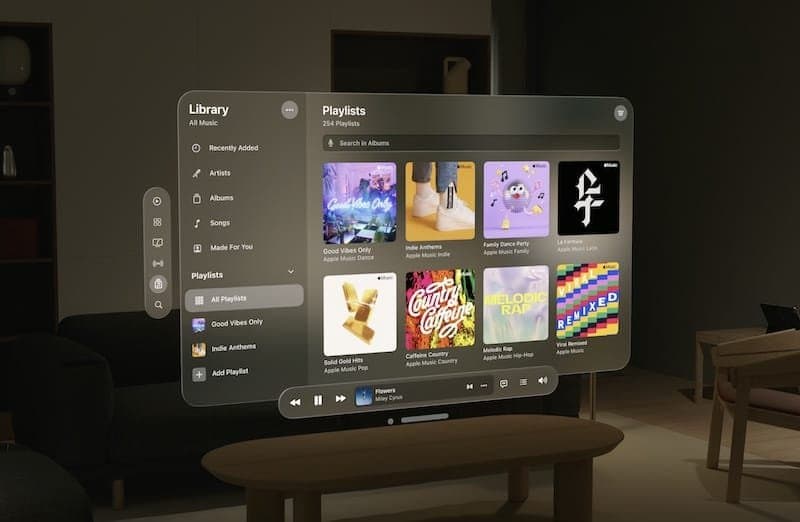
On February 2, 2024 Apple shipped Vision Pro, its $3,499 spatial computing headset. It wasn't the first XR (extended reality) device on the market — Meta, HTC, and Magic Leap had been working in the space for years — but Apple's launch kicked off a maturing phase for the spatial design discipline, with official guidelines, dedicated tools, and serious attention from the product design community.
In 2026, spatial design is still a niche compared to mobile and desktop design, but it's a niche that's growing fast. Understanding its principles is no longer optional for designers who want to stay relevant: this is how we'll interact with computers for the next 10-15 years. This article covers what spatial design is, the 8 core principles for designing immersive experiences, and how to approach the discipline starting from the fundamentals of traditional UX Design.
What you'll learn:
- What spatial design is and how it differs from traditional 2D design
- The 8 core principles for designing immersive experiences
- Apple's Human Interface Guidelines for visionOS
- How to design for different inputs (eyes, hands, voice)
- The future of spatial design and when it'll hit mainstream
What spatial design is
Spatial design — or spatial computing — is the design of interfaces and experiences that exist in the three-dimensional space around the user, no longer confined to a flat screen. A spatial designer doesn't design screens: they design environments, 3D objects, spatial relationships, and physical movements in real or virtual space.
The discipline has deep roots in virtual reality (VR) and augmented reality (AR), but it only became a mainstream design topic after the launch of Apple Vision Pro and the introduction of visionOS, the first Apple operating system explicitly built for spatial computing.
The core differences from 2D design:
- Space is now a design dimension: depth, volume, and distance carry meaning
- The user moves through physical space: their body, head, and hands are part of the interface
- Inputs are multimodal: eyes (eye tracking), hands (hand tracking), voice, controllers
- Context is real: the interface must coexist with the surrounding physical environment (in augmented reality) or create a completely new environment (virtual reality)
The 8 principles of spatial design
1. Respect the user's physical space
The first constraint in spatial design isn't technological, it's physical: the user lives in a real environment with walls, furniture, and other people. A spatial interface has to respect that space.
Implications:
- Don't place content beyond walls or in unreachable positions
- Adapt to the room (standing vs seated, office vs living room)
- Signal the user's safe boundaries
Vision Pro leverages "passthrough video" (showing the real environment through cameras) as its default, specifically to keep the user connected to their physical space.
2. Depth as a language of hierarchy
In spatial design, distance from the user replaces many of the roles that size and contrast play in 2D. Closer elements are perceived as more important or more active.
How to apply it:
- Foreground for primary elements the user needs to interact with immediately
- Middle ground for context (menus, navigation panels)
- Background for ambience or passive information
visionOS Human Interface Guidelines specify optimal distances for reading content (about 1 meter), close interactions (0.5-0.8m), and environmental context (2m+).
3. Eye contact is the new hover
On Vision Pro the primary selection mode isn't the mouse, it isn't touch: it's your gaze. The user looks at an element and "activates" it with a small finger gesture. This is a revolution in the input model.
Design implications:
- Large, well-separated interactive elements to avoid gaze ambiguity
- Visual feedback on focus (the element you look at glows, pulses, or changes state)
- Wider minimum targets (60-80 points instead of iOS's 44)
- No visually indistinguishable elements sitting near each other
4. Natural and minimal gestures
On Vision Pro, hands aren't for pointing (the eyes do that), they're for confirming. The primary gesture is the tap: thumb and index finger touching. Other gestures: pinch to zoom, swipe to navigate.
Gesture principles:
- A few essential gestures, not dozens of complex ones
- Consistent with existing conventions (pinch to zoom like on iPhone)
- Low muscle fatigue (hands shouldn't have to stay raised for long)
- Distinctive (not confusable with random hand movements)
5. Spatial audio as part of the design
In 2D, sound is decorative. In spatial design audio is directional: sound comes from a specific position in space. It's a fundamental information channel for orientation, feedback, and immersion.
How to use it:
- Directional sound feedback: a tapped button produces a sound that comes "from its position"
- Signaling events outside the field of view: if something happens behind you, the sound turns your head
- Ambient atmosphere that reinforces the sense of space
6. Visual comfort: avoiding motion sickness
Motion sickness is the number one problem in immersive experiences. Users who can't tolerate VR often complain of nausea and disorientation. Spatial design has to minimize the causes:
- Avoid involuntary camera movement: if the user doesn't move their head, the view shouldn't move
- Steady, high framerate (90fps minimum, 120fps ideal)
- Smooth transitions between states, no hard cuts
- Linear motion preferred over accelerated motion
Vision Pro deliberately limits certain interactions specifically to protect user comfort.
7. Context awareness
A spatial app should know where it is and what's happening around the user. This is a deeper concept than mobile: not just geolocation, but the shape of the room, ceiling height, the presence of people, ambient lighting.
Practical applications:
- A virtual cinema adapts to the real room
- A fitness app places objects based on available space
- A video chat positions the other person at the user's eye level
8. Fluid transition between immersion and presence
One of spatial design's dilemmas is the balance between full immersion (a virtual environment that replaces the real one) and passthrough (a view of the real world with virtual elements overlaid). The best products let users move fluidly between the two modes.
Vision Pro has a physical dial (the Digital Crown) that adjusts the level of immersion in real time, from full passthrough to a total virtual environment.
Apple visionOS Human Interface Guidelines
Apple has published detailed guidelines for visionOS, freely available on the Apple developer site. The key concepts:
- Windows: 2D windows floating in space, the equivalent of macOS windows
- Volumes: 3D content enclosed in a defined geometric shape (a 3D chart, a model)
- Spaces: fully immersive environments that replace the surrounding reality
- Materials: translucent surfaces that let you see through (partially) and blend with context
Designers approaching spatial design should start with the official visionOS HIG even if they're not specifically designing for Apple: they're the most mature and complete guidelines in the industry today.
Multimodal input: eyes, hands, voice
Modern spatial experiences combine multiple inputs:
- Eye tracking: used for selection (Vision Pro) and to read the user's attention
- Hand tracking: for confirmation gestures, manipulation, virtual typing
- Voice: for dictation, quick commands, search queries
- Traditional controllers: still used on Meta Quest and HTC Vive for complex games
Designers need to build experiences that work with any combination of inputs, knowing that not every user will use them the same way.
When will spatial design go mainstream?
In 2026, spatial design is still niche. Vision Pro sold fewer than 500,000 units in its first year, confirming its positioning as a premium product for early adopters. Meta Quest has higher numbers but is concentrated in gaming.
Three conditions need to align for the mainstream leap:
- Price under $1,000 (Vision Pro is $3,500+)
- Lighter form factor: current headsets weigh 400-600g, uncomfortable for extended use
- Killer use case: an app or use case that makes spatial computing necessary, not just interesting (the "iPhone without email" moment that made mobile mainstream)
None of these conditions is solved in 2026. But all three are moving fast — and designers who build spatial design skills before the mainstream break will be in a privileged position when the market takes off.
How to start designing for spatial
Three concrete steps to approach the discipline:
1. Study Apple's visionOS HIG
They're free, complete, and well written. Even without a Vision Pro you can read every principle and see examples.
2. Try Figma for spatial design
Figma has plugins and templates specifically for designing for visionOS. It's not the same as designing directly for the headset, but it lets you practice the core concepts.
3. Look at existing app code
Many visionOS apps have open-source examples on GitHub. Studying how they're built helps you understand the technical constraints of the design.
Frequently asked questions
Will spatial design replace 2D design?
Not anytime soon. 2D design will keep dominating for the next 10+ years because it's entrenched in mainstream devices (phones, laptops, tablets). Spatial will join as a new interaction form for certain use cases, not replace.
Do I need a Vision Pro to design spatial?
Ideally yes, but it's not strictly necessary to start. Xcode simulators let you test visionOS projects on a Mac. A Meta Quest 3 (much cheaper, around $500) is an alternative to explore VR in general.
What skills do I need for spatial design?
Classic UX Design fundamentals, plus: working knowledge of Unity or Unreal Engine for 3D prototyping, an understanding of 3D modeling concepts, sensitivity for three-dimensional animation, and familiarity with the HIGs of major XR systems.
Are there spatial designer jobs yet?
Yes but few. Big tech (Apple, Meta, Microsoft, Google) hires spatial designers; some growing XR startups have dedicated teams. Most spatial designer roles are concentrated in Silicon Valley and the Seattle area, with a smaller London cluster. Many designers work remotely from Europe for US companies.
How much does a spatial designer earn?
In the US market, senior spatial designers at top tech companies earn between $170,000 and $240,000 in total compensation according to Levels.fyi, with a premium for the scarcity of the skill. In the UK, senior spatial designers on Glassdoor report £85,000-£120,000 base salaries at London tech companies, plus equity in scale-ups.
Is spatial design accessible?
It's one of the industry's open challenges. Designing for users with motor disabilities (who can't move their hands), visual disabilities (who can't see spatial elements), or cognitive disabilities (who struggle with 3D orientation) is complex and still being defined as a standard. WCAG 2.2 doesn't fully cover XR yet, though W3C's XR Accessibility User Requirements document is becoming a reference.
Next steps
Spatial design is a young but fast-moving frontier. To get started:
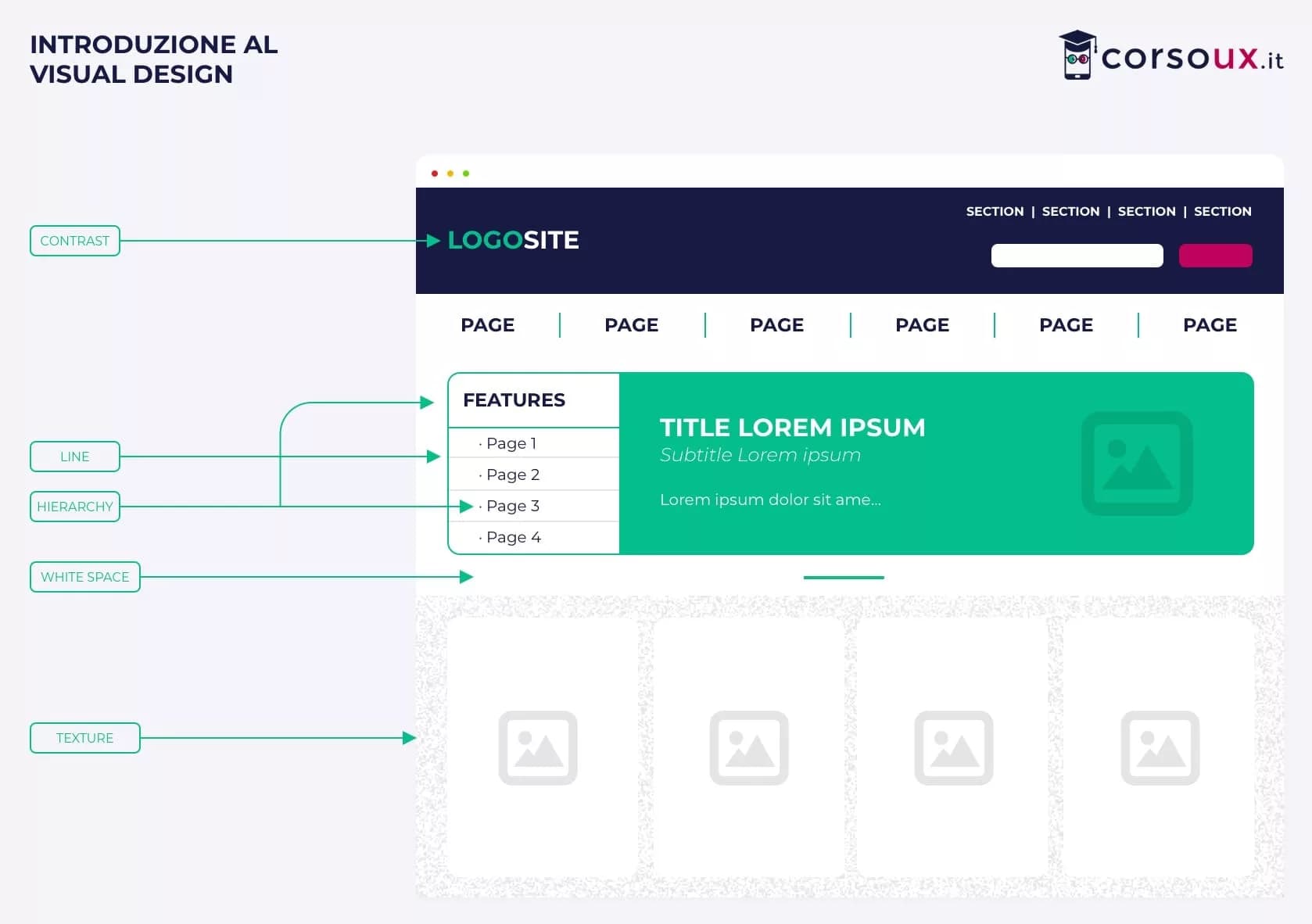
- Build solid foundations in classic UI Design, because hierarchy, typography, and color principles remain relevant
- Study Interaction Design, which is the heart of spatial interactions too
- Read Apple and Meta's Human Interface Guidelines, freely available online
CorsoUX's Visual Design course covers the digital design fundamentals that are prerequisites for any future spatial specialization. If you're aiming at this niche, start from a solid visual base before specializing.