
Mobile first is one of the older ideas in modern web design — Luke Wroblewski coined the term back in 2009 — and yet it's still one of the most misunderstood. Many designers read it as "design mobile first, then adapt to desktop", a simple time sequence. That's only the surface. The real value of mobile first is that it forces clear priorities: the limited space of mobile makes you decide what's essential, and everything else in the design improves as a result.
In 2026, with mobile traffic now representing over 60% of all web visits globally (per StatCounter and BLS digital consumption data), mobile first isn't a strategic choice anymore — it's the default. This article explains what it really means, how it translates into a concrete workflow at US and UK product teams, and which modern constraints every designer should know.
What you'll learn:
- The origins of mobile first and why it emerged
- The 3 methodological advantages of starting from mobile
- How to apply mobile first in the design workflow
- Micro-moments: the concept that changes how you design mobile
- The limits of the approach and when "mobile first" isn't enough
Origins: Luke Wroblewski and 2009
In 2009, as smartphones were becoming mainstream, Luke Wroblewski — then Chief Product Officer at Bagcheck, later moving to Google and other senior roles in Silicon Valley — published an article and then a book titled Mobile First. The insight was simple: designing for mobile before desktop forces harder, braver, more focused decisions.
In 2009 this felt counterintuitive: most traffic was still desktop, and mobile was treated as a "second screen" where you'd adapt what already existed. Wroblewski argued the opposite: building for mobile first forces you to understand what truly matters, because the space is unforgiving.
Fifteen years later, the context has completely flipped. Mobile traffic surpassed desktop globally in 2016 and hasn't stopped growing. In 2024 it represents over 60% of worldwide web traffic, with peaks of 75–80% in emerging markets. Designing "desktop first" today means ignoring two thirds of your users — and being penalized by Google's mobile-first indexing on top.
The 3 methodological advantages of mobile first
1. Forced priorities
The space of a mobile screen — 375–430 pixels wide — doesn't let you include everything. When you design mobile first, you have to answer uncomfortable questions:
- What are the 1–3 primary actions the user needs to be able to take?
- What information is essential and what is supporting?
- What can be hidden in a second level without ruining the experience?
These decisions, made at the mobile stage, produce an interface that's clearer even on desktop. Desktop becomes an "expanded" version of mobile, not the other way round.
Designing desktop first produces the opposite effect: you have so much space that you fill it indiscriminately, and then when you reach mobile you have to cut painfully, and the result is a mutilated mobile experience.
2. Performance by default
Mobile devices typically have less memory, less compute, and slower (or at least more variable) network connections. Designing for mobile first forces you to think about performance as part of the design, not as a later optimization step.
This reflects in visual choices too: fewer heavy images, lighter animations, optimized graphics. The result is a product that works well on mobile and great on desktop, instead of the other way round — and ships better Core Web Vitals, which directly affect SEO rankings on Google.
3. Accessibility by default
The touchscreen on mobile is less precise than a desktop mouse. Touch targets need to be large (minimum 44×44 pt per Apple HIG, 48×48 dp per Material). Text has to be legible without zoom. Contrast has to be strong even in sunlight. All of these constraints are also WCAG 2.2 accessibility requirements — which map directly to US (ADA, Section 508) and UK (Equality Act 2010) legal obligations. A mobile first design is automatically closer to compliance than a desktop first one.
Applying mobile first in the workflow
Concretely, how does this translate into daily practice?
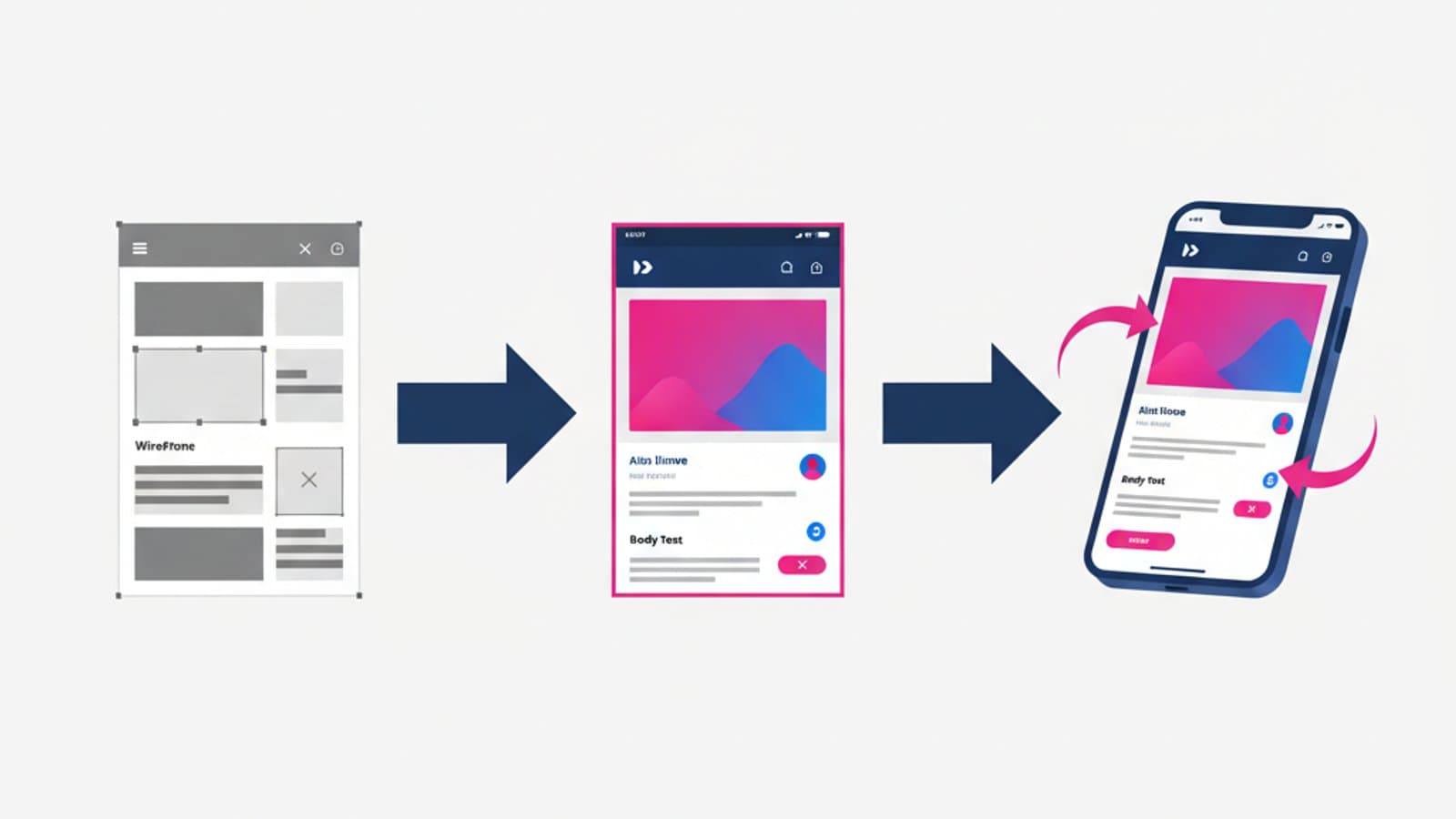
Step 1: wireframe at 375 pixels
The first artboard of your Figma project is 375 pixels wide (iPhone SE/12/13 mini as a realistic mobile baseline). Not 1440. Start from mobile, literally.
Step 2: solve every flow on mobile first
Before opening any desktop artboard, complete: sign-up, login, primary task, secondary navigation, key forms. All of it on the mobile version. Once they work, move to desktop.
Step 3: expand to tablet (768 pixels)
Tablet is an in-between: it isn't mobile (more space) and it isn't desktop (still touch first). Solve this breakpoint before the real desktop. Many fluid layouts adapt naturally; others need specific reorganization.
Step 4: expand to desktop (1280–1440 pixels)
Only now do you design desktop. By this point you've already defined priorities in earlier phases — desktop is a more spacious version, not a different logic.
Step 5: intermediate and large breakpoints
For mature products, also consider larger breakpoints (1920 pixels, 4K). These are specific cases and don't require the same level of detail as earlier phases.
Micro-moments: how mobile context changes everything
Mobile isn't "a smaller desktop". It's a device with radically different usage characteristics. Google popularized the concept of micro-moments back in 2015: short attention windows in which users pick up their phone to solve an immediate need.
The four typical micro-moments identified by Google:
- I want to know: a quick piece of information (what time is it, what's the weather, who won the game)
- I want to go: looking for a place (nearby restaurant, directions to an address)
- I want to do: looking for instructions (how to change a lightbulb, how to cook a dish)
- I want to buy: looking at a product (price comparison, reviews)
Each of these moments lasts a few seconds to minutes. The user has no patience, no attention, no desire to "explore". Designing mobile first for these micro-moments means:
- A direct answer to the need on the first screen
- Zero friction between arrival and useful result
- Offline-ready because the connection can drop
- Perceived instant loading (skeleton screens, progressive loading)
A site or app that doesn't respect micro-moments fails the mobile test even if it's technically responsive.
Modern responsive design: beyond breakpoints
Classic 2012-era responsive design used media queries based on viewport width: "when the screen is below 768px, apply these rules". It works but is fragile: a component doesn't know what's happening in its container, only what the whole page is saying.
In 2023–2024 CSS introduced container queries, now supported by every modern browser: a component can react to the size of its container, not just the page. This changes how you design reusable components: a card adapts to the space available in its parent, independently of the window size.
Practical consequences for the designer:
- Components are more autonomous: how they behave depends on their context, not global rules
- The system is more modular: you can reuse the same component in different contexts without dedicated variants
- The design system is more effective: component libraries that account for container queries produce more consistent products
This doesn't replace mobile first, it complements it: mobile remains the starting point, but components are designed to adapt fluidly to any context.
The limits of mobile first
Mobile first isn't always the right choice. Two cases where starting from desktop makes sense:
1. Desktop-only enterprise products
A professional data analysis tool, an industrial monitoring dashboard, a video editor: these products live on desktop for intrinsic reasons (many windows, mouse precision, large screens). Designing them mobile first is an artificial exercise.
2. Products with a non-mobile target
Some niches (certain academic research tools, highly technical B2B sectors) have users who work almost exclusively on desktop. If your users spend 8 hours a day at a fixed workstation, optimizing for the mobile hypothesis is sub-optimal.
In these cases, the principle still holds — start from the most constrained case — but the most constrained case might be a desktop with crowded windows, not mobile.
Frequently asked questions
Is mobile first the same as responsive design?
No. Responsive design is the technique to make a layout adapt to different screen sizes. Mobile first is a methodology that says to design the smallest version first. You can have a responsive design that was built desktop first (and many are); mobile first is a priority choice at the design stage.
How important is mobile in 2026?
Mobile traffic represents over 60% of global web traffic, with higher peaks in emerging markets and consumer sectors. Google has indexed sites using "mobile first indexing" since 2019. If your product doesn't work well on mobile, you're losing SEO, users, and conversions — and in the US and UK, potentially exposing yourself to ADA/Equality Act complaints too.
Do I have to design for the smallest possible screen?
No, there's no need to optimize for 320-pixel screens (very old smartphones). The realistic starting point in 2026 is 375–390 pixels (iPhone SE, base Pixel). Below that threshold there are very few users.
How do I test my mobile design?
The most effective test is to open the site on an actual phone — not just in browser dev tools. A real phone has touch, sunlight, hands that aren't in standby, and the real usage context. Do this test every day as part of your design work.
Does mobile first work for native apps too?
Yes, even if it's less discussed in the native context. iOS and Android apps are mobile by definition, so "mobile first" sounds tautological. But the principle still holds in the sense of "start from the tightest constraints and then expand": design for iPhone SE (small screen) before iPad (large screen).
Is mobile first still a growing trend?
It's no longer a "trend": it's the default. In 2026 no professional designer designs desktop first for consumer products. The discussion has moved to other levels: how to do truly fluid design with container queries, how to handle adaptive design (device-specific variants), how to design for foldable screens.
Next steps
Mobile first is a methodological principle that has to be internalized, not memorized. To go deeper:
- Study the mobile usability principles that matter most
- Read the guide to wireframes to see how they're designed mobile first
- Explore the 5 essential states of design on mobile
In CorsoUX's Interaction Design course, every design exercise is mobile first with successive breakpoints for tablet and desktop, following the standard workflow of modern product teams at US and UK tech companies.