When someone hears about eye tracking for the first time, they usually think: "finally, a way to know exactly where a user is really looking." And that's true: an eye tracked at the millisecond level produces data no other method can match. The problem is that after fifteen years of promotional marketing from hardware vendors, many people have come to believe eye tracking is necessary for doing good user research. It isn't.
This article explains what eye tracking really is in 2026, how it works, when it makes sense to use, when you're burning budget, and which alternatives often deliver comparable insight at a fraction of the cost.
What you'll learn:
- What eye tracking measures — and what it doesn't
- The 3 types of eye tracking available in 2026
- When the investment is justified (and when it's not)
- Modern alternatives: behavioral heatmaps, scroll maps, webcam-based tracking, AI attention prediction
- How to read eye tracking data without fooling yourself
What eye tracking is
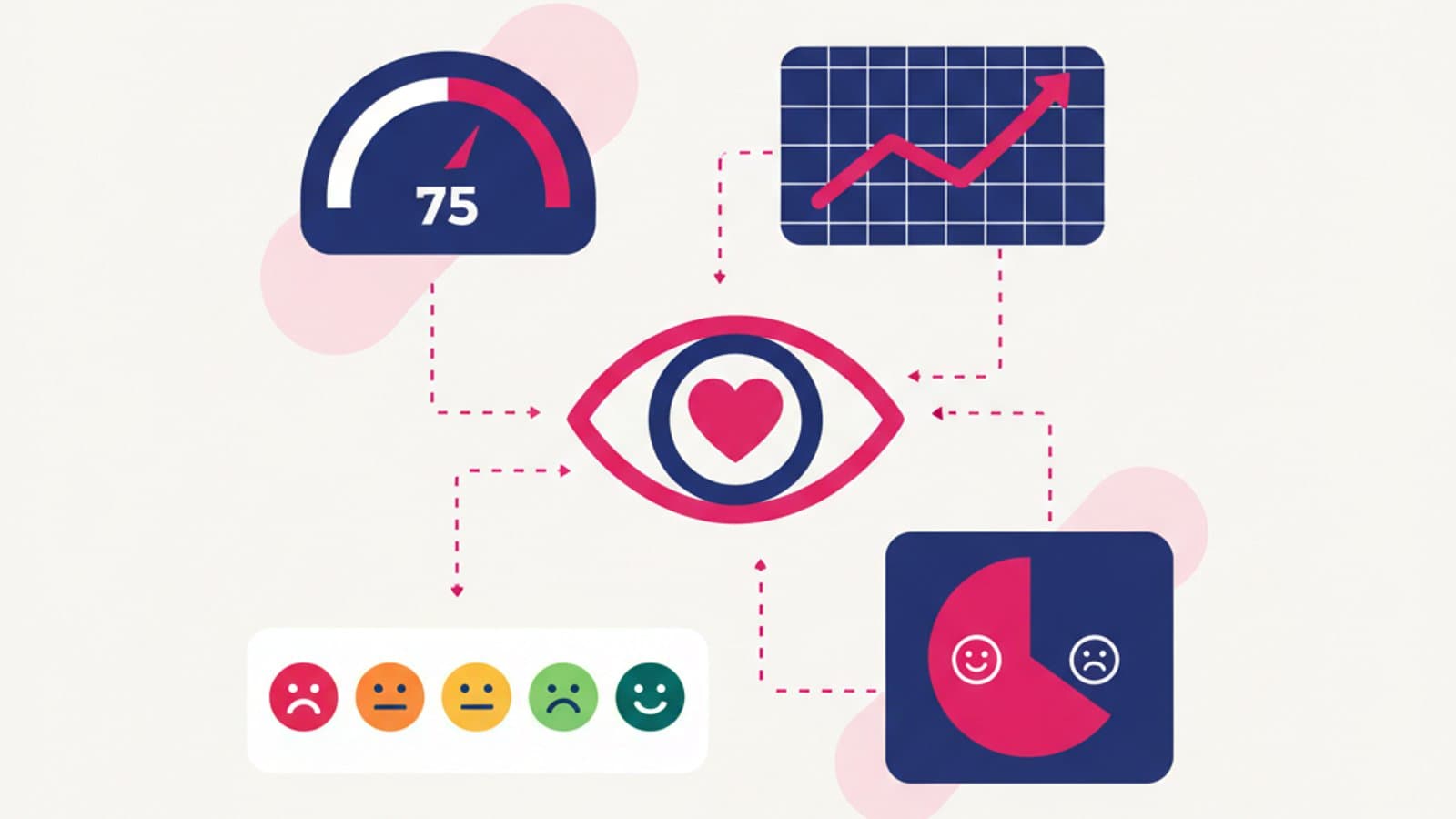
Eye tracking is the measurement of a participant's eye movements as they look at a stimulus — a web page, an app, a physical product, an advertisement. Software records where the eyes stop (fixations), how long they stay there, and how they move from point to point (saccades).
Typical outputs are:
- Gaze plot: the path the eyes followed, with circles sized in proportion to fixation time at each point.
- Heatmap: the same information shown as a thermal map — red zones where people looked a lot, cold zones where they didn't.
- Area of Interest (AOI) analysis: statistics for predefined screen regions (e.g. "the logo received an average fixation time of 1.2 seconds").
- Cluster analysis: grouping fixation points to identify areas of highest collective interest.
Eye tracking measures visual attention, and only that. It doesn't measure comprehension, emotion, or whether an action succeeded. Looking at a button doesn't mean clicking it; not looking at an element doesn't mean you can't see it with peripheral vision; fixating on something for two seconds doesn't mean you've understood it.
The three types of eye tracking in 2026
1. Professional eye tracking with dedicated hardware
The "classic" method: an infrared camera mounted on a monitor (or wearable glasses with sensors) that tracks eye movement with millimeter precision. The historical market leader is Tobii, which makes both lab equipment and wearable glasses.
Precision: very high (within 0.5°).
Hardware cost: from $2,200 for entry-level tools up to $22,000–$45,000 for complete systems.
Cost per test: $250–$900 per participant at a research agency.
Setup: requires a lab, per-participant calibration, and a trained operator.
When to use it: academic studies, high-precision research, pre-launch validation of mass-market products with multimillion-dollar investments, motor accessibility studies.
2. Webcam-based eye tracking
The real post-2020 revolution. Software that uses a standard laptop webcam to track eyes with acceptable precision (within 2–5°), making large-scale unmoderated remote testing possible.
Main tools:
- GazeRecorder — one of the earliest and most accessible options for remote webcam testing.
- Sticky.ai — commercial platform combining webcam eye tracking with an integrated recruiting panel.
- RealEye — focused on online eye tracking with full reporting.
- iMotions — the most complete suite, combining eye tracking with other biometric signals.
Precision: medium (2–5° of error, depending on webcam quality and lighting).
Cost: from $55–$220 per month for basic tools, $550–$2,200 for enterprise platforms.
Cost per test: $22–$90 per participant.
Setup: fully remote — the participant takes the test at home, no operator required.
When to use it: medium-to-high-volume tests (50–500 participants), limited budget, when you need aggregate data rather than millimeter precision on each individual.
3. Behavioral heatmaps (not true eye tracking)
Many web analytics tools offer "heatmaps" that are not true eye tracking: they show where users click (click maps), where they hover the mouse (movement maps), and how far they scroll (scroll maps). Technically this isn't eye tracking, but in many cases it predicts attention with sufficient accuracy.
Tools:
- Microsoft Clarity — free, an excellent open alternative to Hotjar.
- Hotjar — the best-known option, combining heatmaps, session recording, and feedback widgets.
- Mouseflow — a Hotjar alternative with more aggressive pricing.
- Smartlook — strong on native mobile apps.
Precision: measures real behavior, not vision. But several studies show high correlation (~70–80%) between "where the mouse moves" and "where the eye looks" for most desktop users.
Cost: free (Clarity) or $55–$220/month.
Setup: install a script, data is collected in the background while users browse normally.
When to use it: for websites with medium-to-high traffic, when you want insight from real behavior instead of artificial test sessions.
AI-based alternatives: attention prediction
In 2024–2026 a new category emerged: tools that predict attention using machine-learning models trained on huge eye tracking datasets. They don't do real tracking — they estimate which areas of a screenshot will draw the average user's attention.
Tools:
- Attention Insight — probably the best known, claiming 90% accuracy on baseline models.
- Neurons Predict — commercial platform with models trained on neuromarketing studies.
- Visualeyes — a budget-friendly predictive eye tracking option.
Upside: instant (upload a screenshot and 30 seconds later you have a predictive heatmap), cheap, no participant recruiting needed.
Downside: it's a prediction based on general patterns, not a measurement of your specific target user. Useful for quick audits, less reliable for strategic decisions.
When eye tracking actually makes sense
Four scenarios where the investment is justified.
1. Motor and cognitive accessibility studies
To understand how users with visual or motor disabilities interact with a product, professional eye tracking is often irreplaceable. It maps oculomotor difficulties no other method can capture — critical for ADA and Section 508 compliance work.
2. Comparing layouts with subtle visual hierarchy differences
If you're evaluating three dashboard layouts where differences are subtle variations in module organization, eye tracking reveals which layout guides the eye to key information fastest. A traditional usability test would only capture this indirectly.
3. Advertising and packaging
For deciding where to place the logo, the price, or the main claim on a static ad or piece of packaging, eye tracking is the historical gold standard. The behavior is "attentive and silent" — different from interactive digital behavior.
4. Academic research and scientific validation
If you're publishing an academic study or producing a report for a scientific audience, professional eye tracking provides the methodological robustness required. In this context no alternative is acceptable.
When eye tracking is wasted budget
Four scenarios where you'd be better off using something else.
1. Evaluating checkout flows
A checkout flow is best evaluated with a task-based usability test ("buy this t-shirt") and a stopwatch. What matters is whether the user completes the task and how fast — not where they look along the way. Eye tracking here adds cost without adding decisions.
2. Copywriting tests
To figure out which headline or description works best, a real behavioral test (an A/B test on conversions) or a cloze test gives more useful answers at a lower cost.
3. Visual priority on large interfaces
To know whether a "New order" button is visible enough on the main dashboard, a first-click test (asking "if you had to start a new order, where would you click?") tells you in 10 minutes what an eye tracking study would tell you in 3 days.
4. Validating basic design intuitions
If you're deciding whether the headline goes at the top or the bottom of a page, Nielsen's classic heuristics plus usability tests with 5 people answer the question much more efficiently.
How to read eye tracking data correctly
Three rules for not being fooled by the report.
1. Aggregate at least 20–30 participants
A single gaze plot is fascinating but not statistically meaningful. Real heatmaps only emerge when you aggregate dozens of sessions. A report based on 5 individual gaze plots is anecdotal, not scientific.
2. Fixation ≠ comprehension
If a user fixates on an element for 3 seconds, it could be because they're processing it (understanding) or because they don't understand it and are trying to decode it. Eye tracking alone can't tell the two apart. That's why it's almost always combined with retrospective think-aloud: you show the participant their gaze plot after the test and ask them to narrate what they were thinking.
3. Peripheral vision is invisible
Eye tracking only measures the central fixation point, not peripheral vision. Users see much more than what they "fixate" — and peripheral information often guides where they'll fixate next. Heatmaps with "cold" zones don't necessarily mean "this area is never seen."
Frequently asked questions
How much does a professional eye tracking test cost?
With dedicated hardware (Tobii or similar) at a US or UK research agency, a test with 20–30 participants typically costs $4,500–$9,000. With webcam-based tools like GazeRecorder or RealEye, the same test runs $550–$1,700.
Does eye tracking work on mobile?
Yes, but with more difficulty. There are solutions that use the phone's front camera, with variable precision. Results are reasonable for aggregate tests but less reliable than on desktop. Some labs use wearable eye tracking glasses to test on real devices.
Is webcam-based eye tracking as reliable as professional?
No, but it's reliable enough for many use cases. Precision is lower (2–5° vs 0.5°) but the scale of testing is much larger. For tests with 100+ participants, webcam tracking wins the trade-off in almost every practical case.
What are the "heatmaps" in Hotjar reports?
They're not true eye tracking: they're maps of mouse behavior or clicks. They show where users clicked, where they hovered, and how far they scrolled. They're very useful and often sufficient for everyday UX decisions.
Do AI attention-prediction algorithms replace real eye tracking?
Partially. For quick audits and comparisons between design alternatives they're very useful and inexpensive. For final validation before important decisions you still need real data — AI models generalize from average patterns and can be wrong about your specific target segments.
How many participants do you need for an eye tracking test?
At least 20–30 for reliable aggregate results. For comparative studies between variants, 30–50 per variant. Below 20 people, results are anecdotal.
Next steps
Eye tracking is a powerful tool in a well-stocked research kit, not the answer to every question. As always, the right question is: which method best answers my research question at the lowest cost?
To dig deeper:
- Read the complete guide to user research to see all the available methods
- Compare with unmoderated testing tools, which often replace eye tracking more cheaply
- Study preference tests as a fast alternative for visual decisions
In CorsoUX's User Research course we teach when to use eye tracking and when to pick faster, cheaper methods, with real cases where the two approaches lead to different conclusions.