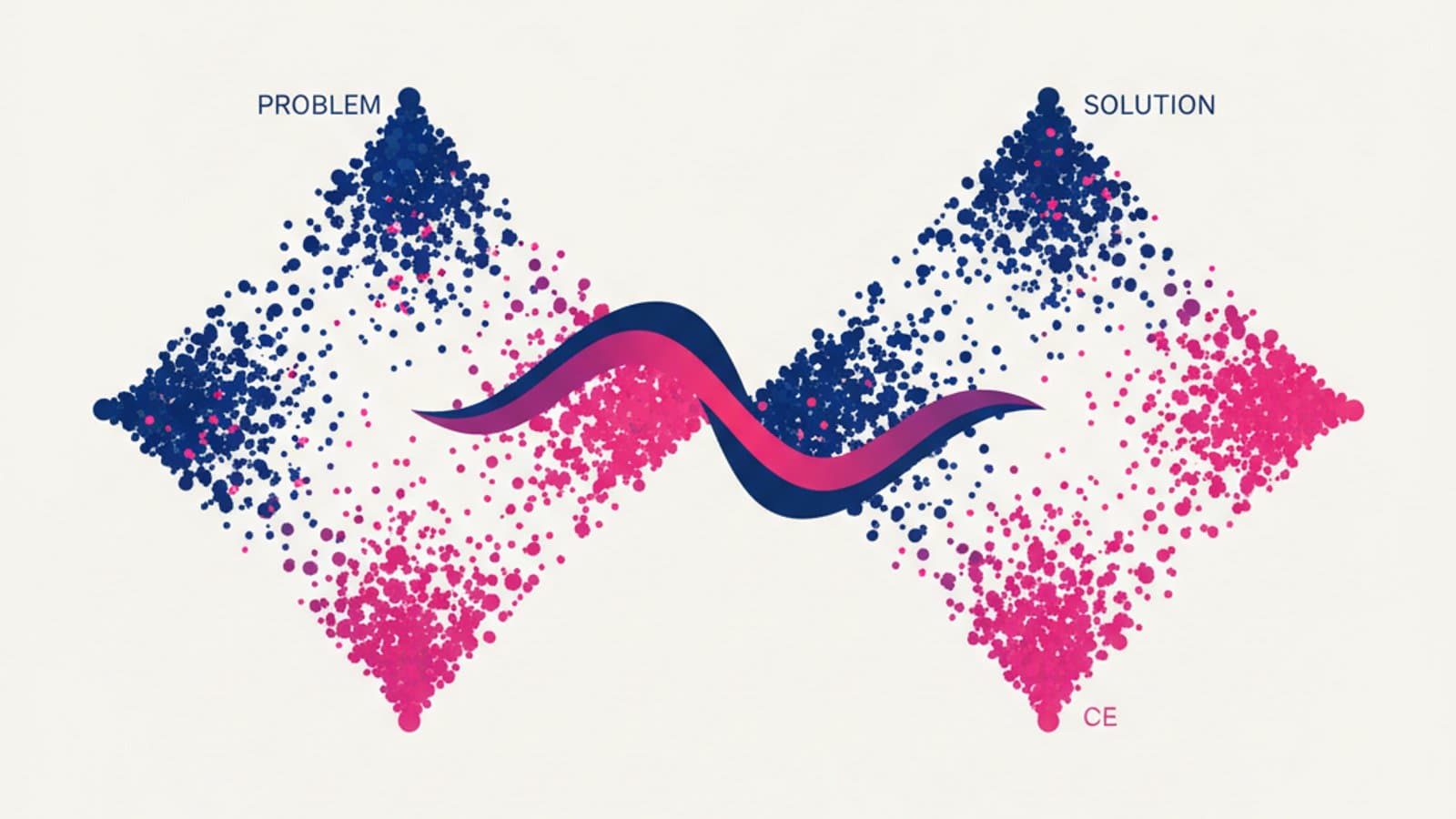
Design Thinking is a human-centered problem-solving method that alternates between divergent phases—where you explore many possible avenues—and convergent phases—where you choose and validate the best solutions. Born in American design schools in the 1960s and codified by IDEO and the Stanford d.school in the following decade, it is now the most widely used framework in the world for designing digital products that people actually want to use.
This guide is for those who design digital interfaces, products, and services. It won't give you the academic history of the method—you can find that on Wikipedia. Instead, it will show you how to apply the 5 phases of Design Thinking to a real-world UX project, with concrete examples, Figma tools, and—a rare find—the cases where using it is a waste of time.
What you'll learn by reading:
- What Design Thinking really is (an operational definition, not an academic one)
- The 5 phases of the Stanford d.school model applied to digital projects
- The tools and templates you'll use in each phase
- An end-to-end example of Design Thinking applied to a real feature
- The difference between Design Thinking and the Double Diamond (and when to choose which)
- When Design Thinking is not useful and what to use instead
What is Design Thinking?
Design Thinking is an iterative approach to solving complex problems that starts with real user needs, generates many alternative ideas, prototypes the best ones, and validates them with real people before building them. In one sentence: first understand, then explore, then prototype, then decide.
Three characteristics distinguish it from other design methods:
- User-centricity. Every decision stems from what you've observed or heard from real people, not from internal team opinions.
- Rapid iteration. You don't design just once. You go through many short cycles of prototype → test → revise, each one more refined than the last.
- Balancing desirability, feasibility, and viability. A valid solution in Design Thinking must be desired by users, technically feasible, and economically viable. If even one of these is missing, it's not a solution.
The method was originally created for physical products (chairs, medical instruments, office interiors) but has become the standard for digital products because it solves a common problem for startups and product teams: writing code for something users don't yet understand or need is the most expensive source of waste in software development.
Who Invented It (And Why You Should Care)
The roots of Design Thinking trace back to the work of Herbert Simon ("The Sciences of the Artificial", 1969) and L. Bruce Archer at the Royal College of Art in London in the 1960s. The modern version—the 5-phase model you see in all the courses—was formalized in the late 1990s by the Stanford d.school and popularized by IDEO under the leadership of Tim Brown and David Kelley.
Knowing its origins isn't just for trivia night; it helps you recognize variants and adaptations. Some companies use 4 phases, others 6, and some use the Double Diamond from the British Design Council. They all stem from the same tree. Know the core model, and you'll understand the variations like dialects of the same language.
The 5 Phases of Design Thinking
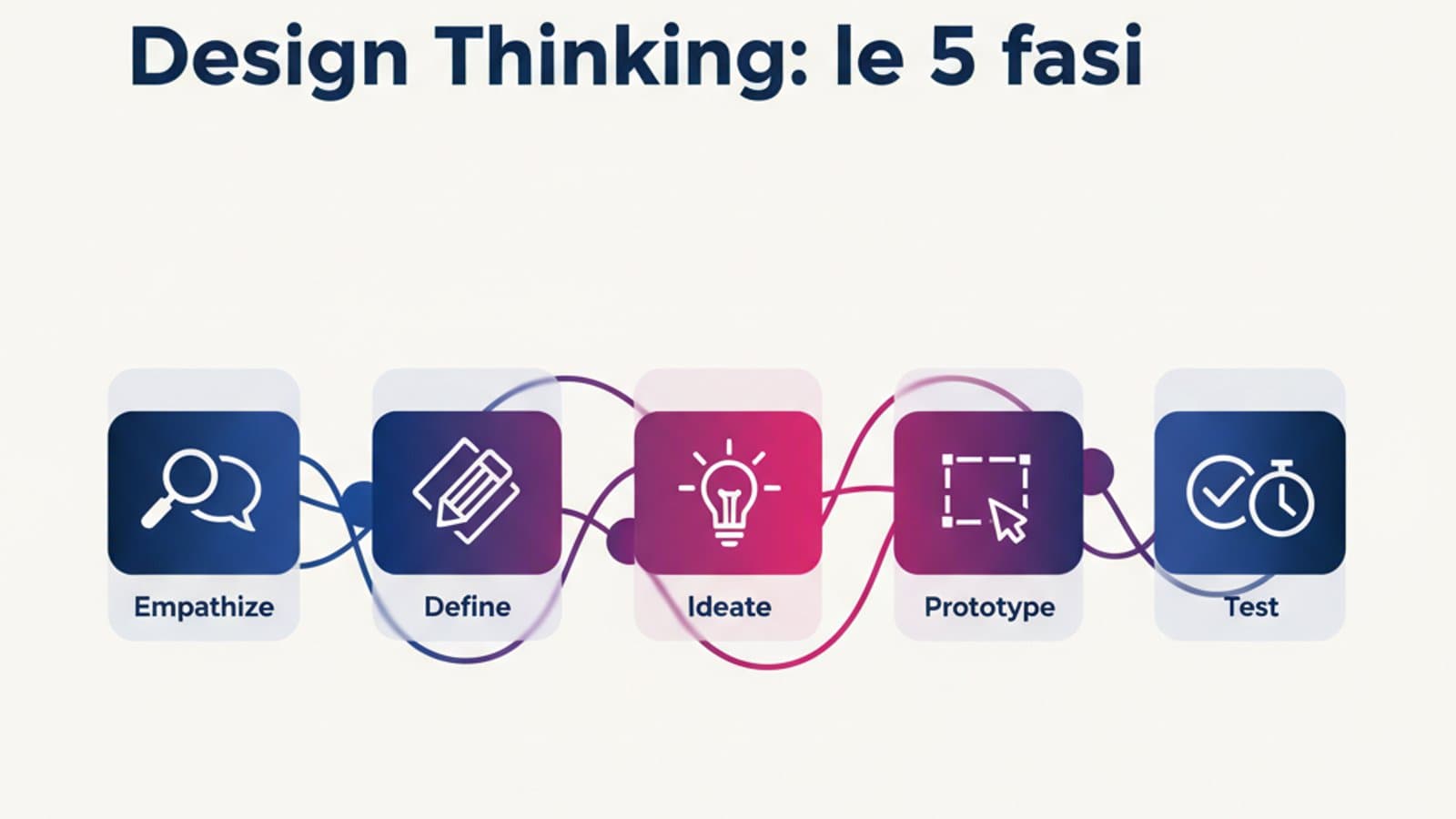
The Stanford d.school model is the most widespread and the best place to start. It has five phases, which are not rigidly sequential; you can and should go back whenever necessary.
Phase 1 — Empathize
Objective: To understand how people experience the problem, in their own words and in their own context.
This is the phase where you don't design anything. You get out of the building (metaphorically is fine for remote teams), talk to users, observe them using similar products, and gather quantitative and qualitative data that will illuminate the problem from different angles. The most common mistake teams make is skipping this phase because it feels "slow"—only to find themselves building features nobody wanted.
Typical Activities:
- Semi-structured interviews with 5-8 target users (enough to see the main patterns emerge)
- Shadowing: observing users as they perform the task in their real environment
- Analyzing existing research (customer support tickets, reviews, chats, analytics)
- Empathy mapping: a visual template that synthesizes what interviewed users think, say, do, and feel
Typical Deliverables: Research notes, recordings, shadowing notes, summary empathy maps.
To learn more about data collection methods, read our guide to user research.
Phase 2 — Define
Objective: To transform what you've observed into a clear, actionable problem statement.
After the Empathize phase, you'll have dozens of raw insights. The next step is to synthesize them into a short sentence that everyone on the team can use as a guiding star. This sentence is called a Point of View (POV) or Problem Statement, and it often follows this structure:
[User type] needs [a way to do something] because [insight from research].
Example: "A freelance consultant who invoices 15 clients a month needs to see who owes them money in 30 seconds, because every morning they must quickly decide who to chase for payment without sounding aggressive."
A statement like this is as powerful as it is brief: it eliminates 80% of internal debates because everyone understands which problem to solve and which not to.
Typical Activities:
- Affinity mapping: grouping similar insights on a FigJam board
- How Might We: reframing the problem as open-ended questions ("How might we reduce the time it takes to send reminders without damaging the client relationship?")
- Personas: creating 1-2 synthetic characters that represent the primary needs that emerged
Phase 3 — Ideate
Objective: To generate as many potential solutions as possible to the defined problem, without judgment.
This is the divergent phase. The classic IDEO brainstorming rule applies: quantity over quality, defer judgment. All ideas are valid until you've generated a critical mass. Only then do you filter.
The most common mistake is to only include designers. Design Thinking works best with a diverse group of 4-6 people: a designer, a developer, a product manager, a customer support representative, and possibly a business stakeholder. Each person brings a different perspective on the problem and contributes ideas a designer alone would not generate.
Typical Activities:
- Crazy 8s: in 8 minutes, each person sketches 8 quick ideas for possible solutions (one minute per sketch)
- Worst possible idea: deliberately generating terrible solutions to unlock creativity
- SCAMPER, mind mapping, and storyboarding to vary the approach
Deliverables: A wall of sticky notes, sketches, flows, mind maps—to be filtered in the next phase using clear criteria (impact, effort, alignment with the POV).
Phase 4 — Prototype
Objective: To build inexpensive, tangible versions of the best ideas, just enough to be tested.
A prototype in Design Thinking is not the final product. It's just enough to let someone use it and see what happens. The costliest mistake is over-prototyping: a prototype that takes three weeks in Figma isn't a prototype; it's a project. If you discover the idea doesn't work, you've wasted 120 hours.
Prototypes are roughly divided into three levels of fidelity:
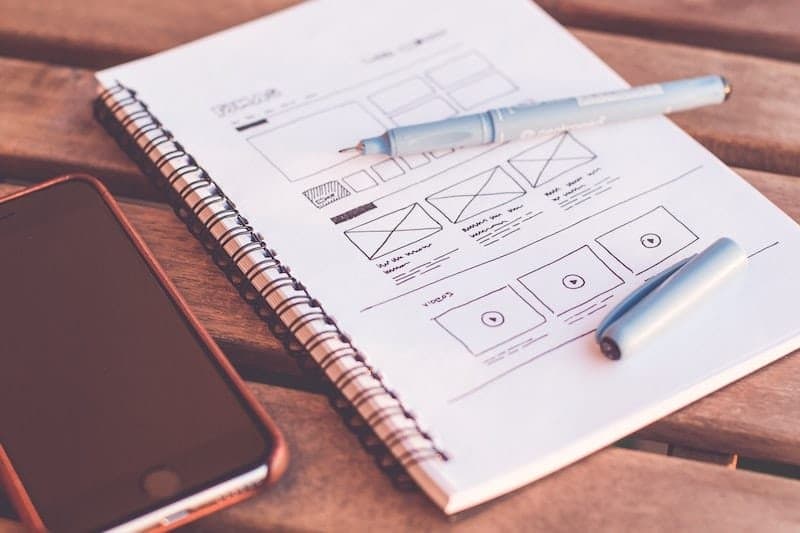
- Low-fidelity (sketches, paper wireframes): 30 minutes, great for testing the flow and content priority without people getting distracted by the look and feel.
- Medium-fidelity (interactive wireframes in Figma): 2-4 hours, good for testing navigation and terminology.
- High-fidelity (clickable visual prototype): 1-3 days, necessary only when you're testing UI details, tone of voice, or micro-interactions.
For a practical guide to low and medium-fidelity wireframes, read our guide on wireframing.
Phase 5 — Test
Objective: To get your prototypes in front of real users and learn from their reactions—not to convince them you're right.
Usability testing is the main tool for this phase. You select 5 users (the magic number confirmed by Jakob Nielsen), give them 3-5 tasks to complete on the prototype, observe silently what happens, and take note of friction points.
There are two major patterns you're looking for:
- Where do they get stuck? A pause of more than 3 seconds in front of a screen is almost always a sign that information is missing or an element is unclear.
- What words do they use? When a user describes a feature using different terms than yours, you have a naming problem. This is valuable data.
Testing isn't the end of the cycle; it's the beginning of the next one. After each test, you might go back to Empathize (with sharper questions), Define (to reframe the problem), Ideate (to generate variations of the most promising solutions), or Prototype (to refine what you have). Five iterations are normal before arriving at a design that truly works.
A Real-World, End-to-End Example
A simplified but realistic example. Team: a SaaS scale-up that launched an invoicing and payments app for freelancers. A key metric is underperforming: 40% of users don't complete their first invoice within 7 days of signing up.
Empathize. The designer interviews 6 recently signed-up freelancers. They shadow 2 of them as they try to issue their first invoice and analyze 50 support tickets from the first 7 days. Emerging insight: The "Tax Rate" field intimidates those who have never invoiced before—4 out of 6 users skip it, and 2 close the app because they don't know what to enter.
Define. POV: "A freelancer in their first year of business needs to know which tax rate to apply to their service, because they don't have an accountant to tell them and the uncertainty blocks them at the start of the process."
Ideate. The team generates 15 solutions in a 45-minute workshop. They filter them down to 3 finalists: (a) a "I don't know, help me" button that reveals an in-app guide; (b) a pre-filled selector with the most common tax rate for the service category chosen during onboarding; (c) a discreet link to an external consultant.
Prototype. The three variations are built in Figma as high-fidelity mocks. Each variation only includes the 2 relevant screens—90 minutes of work in total.
Test. 5 new users who registered their business less than 12 months ago try the three variations in a randomized order. Results: variation (b)—the pre-filled selector—is the fastest (37 seconds vs. 2 minutes for the others) and is the only one with a 100% completion rate. Variation (a) is confusing (users wonder, "if there's a guide, why not just show it to me?"), and (c) is perceived as expensive.
Decision: Implement (b) with a smart default based on the service category. The new target metric is set to 80% invoice completion within 7 days.
No copywriter, product manager's hunch, or abstract brainstorming session would have produced that solution. The method, applied rigorously over 6 days of work, did.
Design Thinking vs. Double Diamond
The Double Diamond is a British variation of Design Thinking, codified by the Design Council in 2005. They share the same spirit (alternating between divergence and convergence) but organize the phases slightly differently.
| Design Thinking (Stanford) | Double Diamond (Design Council) |
|---|---|
| 5 phases: Empathize, Define, Ideate, Prototype, Test | 4 phases: Discover, Define, Develop, Deliver |
| Emphasis on rapid iteration | Emphasis on separating "the right problem" from "the right solution" |
| Better suited for fast-paced digital projects | Better suited for public service and strategic innovation projects |
A UX designer will encounter both in their career. In a lean team with 2-week sprints, the classic Design Thinking model often works best. For a six-month project with many stakeholders, the Double Diamond provides more structure. Learn both, and use what the context requires.
When NOT to Use Design Thinking
No method is universal. Design Thinking is wasted in at least three situations:
- Solved Problems. If you're building yet another login page, Design Thinking is overkill. Copy standard patterns (like those described in our article on login UX) and save your research hours for problems that deserve them.
- Strict Regulatory Requirements. If the product must comply with precise regulations (privacy, finance, healthcare), there's little room for creativity. You need to know the rules, not ideate alternative solutions.
- Tight Deadlines with an Obvious Solution. At certain moments in a product's life—a critical bug, a feature requested by a top client—the solution is clear and needs to be implemented immediately. In these cases, Design Thinking slows things down without adding value.
The signal that you need Design Thinking is clear: the problem is complex, users are unknown or misunderstood, and there's no obvious solution. In those moments, it's the only method that prevents you from building the wrong thing well.
Useful Tools for Each Phase
You don't need sophisticated tools, but having a trusted one for each phase makes the workflow smoother:
- Empathize: Dovetail or Notion for storing research notes, Zoom for remote interviews, Miro/FigJam for empathy maps
- Define: FigJam for affinity mapping and POV boards, Coda for shared persona repositories
- Ideate: FigJam (Crazy 8s template), Mural, a physical whiteboard when you're in person
- Prototype: Figma is the absolute standard for any fidelity
- Test: Maze for unmoderated testing, Lookback or Zoom for moderated tests, Otter.ai for automatic transcriptions
Frequently Asked Questions
What's the difference between Design Thinking and UX Design?
Design Thinking is a problem-solving framework applicable to any discipline (physical products, services, organizations). UX Design is the specific discipline of designing user experiences for digital products. A good UX designer uses Design Thinking as a method, but Design Thinking alone is not enough to do UX—you also need technical knowledge of interaction design, visual design, accessibility, quantitative research, and product metrics.
How long does a Design Thinking cycle take?
It depends on the scale of the problem. A quick cycle on a single feature can take 5-10 business days. A Google Ventures-style design sprint compresses the entire process into 5 days. A large project might require 6-8 weeks to complete all phases rigorously. The key principle is: better to have 3 cycles of 10 days than 1 cycle of 30 days, because rapid iteration is the source of value.
Do you need to be a designer to use it?
No. Design Thinking was created as a multidisciplinary method precisely to foster collaboration among people with different backgrounds. Product managers, developers, consultants, teachers, doctors—anyone can apply it. A UX designer has the advantage of being able to facilitate it more effectively thanks to their practice with wireframes, prototypes, and usability testing, but the methodology itself is cross-disciplinary.
Are Design Thinking and Agile compatible?
Yes, and they are used together in most modern companies. Design Thinking covers the discovery phase (figuring out what to build), while Agile covers the delivery phase (building it iteratively). Many teams alternate between them: a Design Thinking discovery sprint to define new features, followed by Agile development sprints, then back to discovery. To learn more, read our article on Agile UX Design.
What's the best book to start with?
"Change by Design" by Tim Brown (CEO of IDEO) is the manifesto of the method and can be read in a weekend. For a more practical application to digital software, "The Design of Everyday Things" by Don Norman is a timeless classic. You can find both in our selection of UX Design books by level.
Next Steps
If you want to apply Design Thinking to your next digital project, the most effective way is to learn by doing with a mentor to guide you. The comprehensive UX Design course by CorsoUX dedicates 30+ hours of hands-on lessons to applied Design Thinking: creating real empathy maps, rewriting POVs dozens of times, running ideation workshops with the course team, building Figma prototypes from scratch, and testing them with real users. You'll graduate with 2-3 portfolio-ready case studies that follow this methodology to the letter.
In the meantime, you can start with these three free readings to build your foundation:
- Nielsen's 10 Usability Heuristics — the common language of the craft
- The Guide to User Research — how to conduct interviews for the Empathize phase
- How to Make Effective Wireframes — the core skill for the Prototype phase